
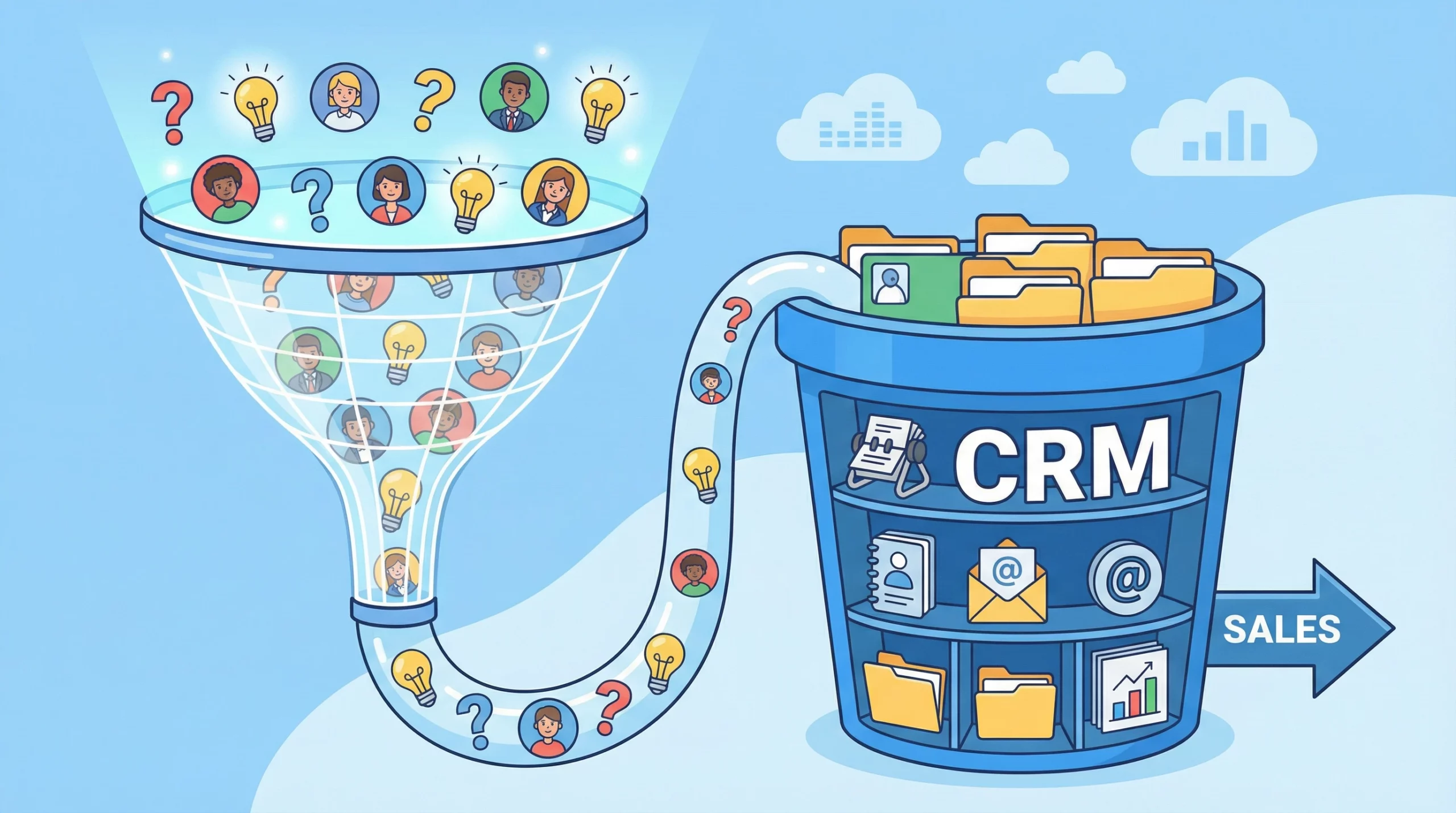
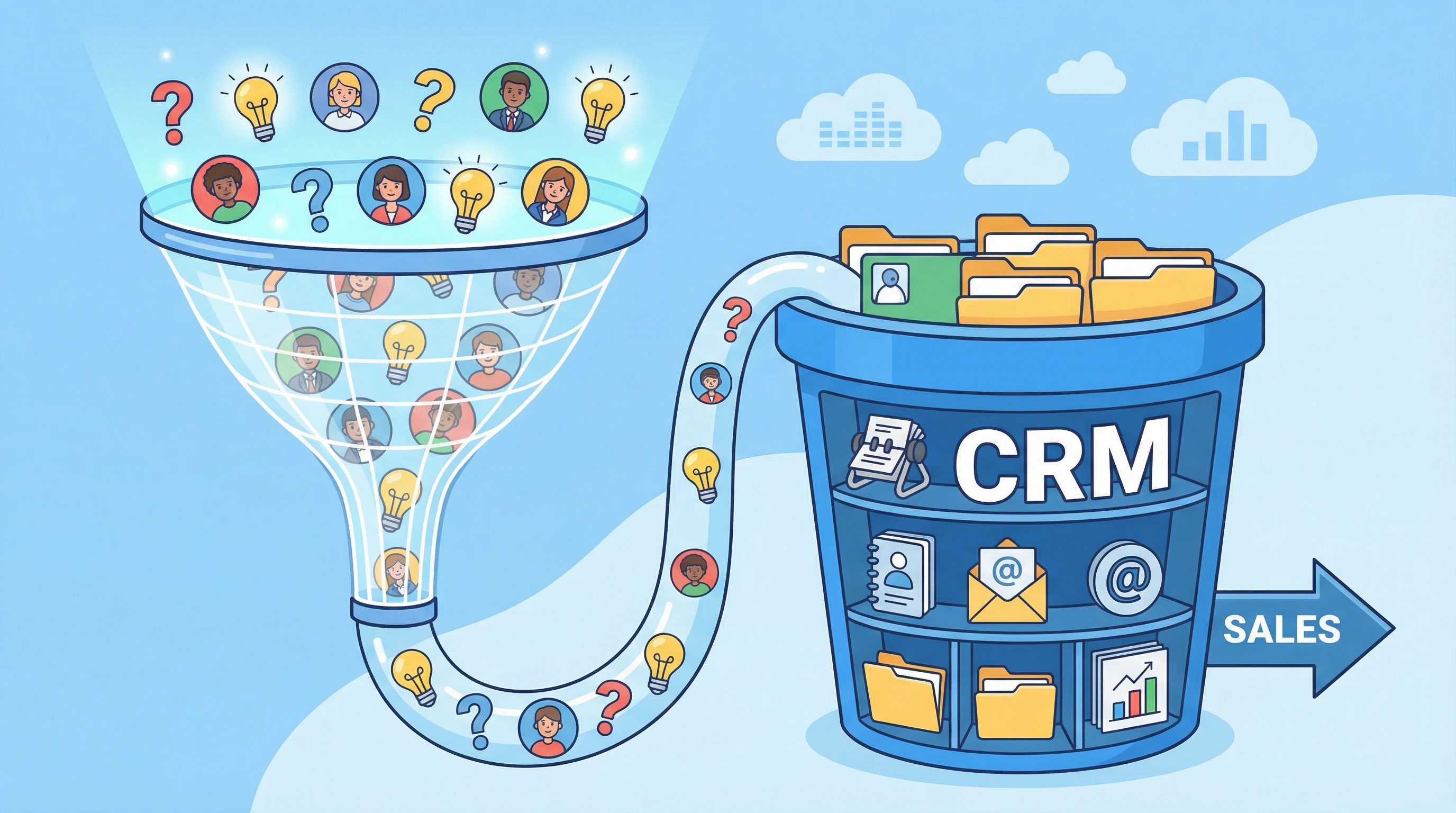
Confusion between CRM and sales funnels is common, especially for those just getting started with digital marketing or running a small business. I’ve often seen people think they need to choose one or the other, but in practice, these tools are not competitors. Both play different roles in helping you turn a stranger into a loyal customer. To help make this clear, I like the “Net vs. Bucket” analogy. The sales funnel works like a net, catching leads as they come in. The CRM (Customer Relationship Management system) acts like the bucket where you keep those leads, nurture them, and make sure none get forgotten. When building a business development funnel, using both together gives you the best chance of turning leads into happy, long-term clients.
What Is a Sales Funnel?
The sales funnel is a way to describe the steps someone takes from being a complete stranger to eventually becoming a buyer. In digital marketing, the idea is to guide people through specific stages, leading them one step at a time. A sales funnel gets its name from its shape: it’s wide at the top, which is where you attract as many people as possible, and narrows at the bottom, where only a few take action and buy.
The Sales Funnel Concept Explained
“What is a funnel?” is a question I hear all the time. In practical terms, it’s a path or process designed for someone who just learned about your product or service. The stages guide people from their first exposure all the way to the point where they make a purchase. This is also where marketing and sales come together.
The 4 Stages of a Classic Funnel
Most sales funnels have four main stages, defined by the AIDA model:
- Awareness: This is where people first hear about your offer. It could be from a social media ad, a Google search, or word of mouth.
- Interest: At this point, people are looking for more information. Your content or landing page keeps them engaged.
- Desire: Now, your potential customer starts wanting what you offer. Your messages, reviews, and stories make a big impact here.
- Action: The bottom of the funnel. The person makes a purchase, signs up, or completes another action you want.
The line between “marketing” and “sales” isn’t always clear here. In small businesses and online projects, these stages often blend together, making it even more important to understand how they work hand in hand.
Real-World Example
I’ve seen a lot of businesses use a simple funnel like this: A Facebook Ad grabs attention and directs people to a landing page where they enter their email to get a free download or offer. Then they reach a thank-you page with next steps. Each stage has a purpose—grab attention, collect info, and nudge the person closer to buying. Over time, carefully tweaking these steps helps refine the funnel for higher conversions.
What Is a CRM?
CRM stands for Customer Relationship Management. This is more than just a list of contacts; it’s a database where I can store everything about my leads or customers, including emails, phone calls, notes, and preferences. The CRM helps me keep track of every interaction and ensures follow-ups happen on time. The real purpose is to make sure no opportunity gets forgotten and that relationships grow beyond the initial sale, which paves the way for repeat business and referrals.
CRM Definition & Purpose
At its core, a CRM is software for organizing and managing relationships. Anytime I capture a new lead, their information gets stored in one place. Over time, I track every call, email, and purchase to get a full picture of their adventure as a customer. The CRM makes it easier to manage ongoing conversations and notice when someone might be ready to buy again or needs extra attention.
Why You Need a Database (Not Just a Spreadsheet)
When my business was smaller, I used spreadsheets to manage contacts. It worked at first, but things became messy as numbers grew. A real CRM does far more than store names and emails. I can track if someone opened an email, set reminders for follow-up calls, assign scores to leads based on activity, and organize contacts into different groups. CRMs also sync with marketing tools, making automation much simpler. As soon as you outgrow basic lists, you’ll see how much time a CRM saves and how it smooths the way for growing your relationships with customers.
CRM vs. Sales Funnel: Key Differences at a Glance
I get asked all the time: “How is a sales funnel different from a CRM?” Here’s a quick look at the main differences:
- Sales Funnel Focus: It’s about leading people through a series of automatic steps. Funnels are usually short-term, designed to trigger a specific action such as signing up or buying.
- CRM Focus: This is about managing relationships over the long haul. CRMs help you stay organized, personalize conversations, and nurture leads over months or even years.
- Automation: Funnels automate the first part of the process. CRMs can include automation, but they usually combine both automated and personal outreach to build trust over time.
- Timeframe: Funnels are fast and transactional. CRMs support long-term, ongoing engagement, including repeat sales and support.
While funnels help capture attention and drive quick action, CRMs step up and turn that first interaction into a lasting connection. Both are important, but each does a unique job.
The Power Couple: Sales Funnel in CRM
Using the best sales funnel means combining it closely with your CRM. Once your funnel captures a lead (for example, someone fills out a form), the CRM jumps in. Information flows straight from the funnel into the CRM. The CRM can then automatically send welcome emails, assign follow-up tasks, or score the lead’s interest level.
How They Work Together
Imagine running an ad campaign for a new online course. The sales funnel collects emails and delivers the first free lesson, building excitement. As soon as someone opts in, their info is stored in the CRM. The CRM then sends a welcome campaign, tracks if emails get opened, and can remind me to check in personally later. My CRM and funnel team up, covering both quick action and long-term nurturing. This combined strategy almost always leads to higher conversion rates and happier customers.
Automation Wins
By connecting a funnel with a CRM, you can automate a lot of “Smarketing”—that mix of sales and marketing. For instance, when a lead interacts with content, the CRM updates their status and can even send offers or reminders automatically. You end up with fewer leads forgotten, better timing for follow-ups, and a smoother experience for your customers and your team.
Do You Need Both to Start?
A lot of beginners wonder if it makes sense to invest in both a funnel and a CRM right away. Here’s how I see it after years of testing various approaches:
When to Start with Just a Funnel
If I had zero leads or was just starting out, I would focus on building a simple sales funnel first. My priority would be collecting email addresses and getting some basic interest. It doesn’t make sense to overcomplicate things in the early days; just use a simple page or tool to start growing a list. This approach allows you to learn what your audience cares about and gradually refine your offers.
When to Add a CRM
Once I noticed my list growing and wanted to interact with leads more personally, adding a CRM felt like a natural next step. If you find yourself losing track of messages, missing opportunities, or feeling like you can’t keep up with follow-ups, a CRM can make a huge difference. Even small businesses benefit from the extra organization and follow-up reminders, and it quickly pays off as your lead volume builds.
Common Questions About CRM and Sales Funnel
Lots of people just starting out ask similar questions, so I’ll answer a few of the biggest here to clear up any confusion and help guide your next step.
Question: Are CRM and sales funnel software the same thing?
Answer: No. They solve different problems. Funnels help collect and convert leads, while CRMs help manage and build relationships long after the lead is captured.
Question: Can I use a CRM as a sales funnel?
Answer: Some CRMs have simple funnel features, but most are not built for lead capture and conversion. It’s best to use a dedicated funnel tool, then connect it to your CRM for best results.
Question: Do I really need a CRM if I have a small list?
Answer: Maybe not right away, but once you have more than a handful of leads to manage, a CRM will save you headaches and make follow-up much easier. Even free CRM tools can help you stay organized and ready to grow.
Question: How can I get these tools to work together?
Answer: Most sales funnel builders (like ClickFunnels, Leadpages, or ConvertKit) integrate directly with popular CRMs such as HubSpot, ActiveCampaign, or Zoho. I recommend looking for platforms that connect easily and let information move smoothly between them without copying and pasting.
Advanced Tips for Building Your Business Development Funnel
As your business grows, these ideas can help you get more out of your CRM and sales funnel setup. Here’s what I learned along the way that made a real difference in growing my client base:
- Customize the Sales Funnel: Don’t stick to onesizefitsall templates. Map out the exact steps your audience needs to take and tweak content for each stage. Personalization can really make your funnel pop in a crowded market.
- Segment in Your CRM: Group leads by where they are in the funnel. For instance, someone who just signed up needs different emails than someone who downloaded a pricing guide. Proper segmentation helps deliver the right message at the right time.
- Set Up Automated Nurture Sequences: Use both the funnel and CRM features to create automated email series that educate, answer questions, and gently sell. This frees up your time and makes sure no one feels ignored.
- Monitor Engagement Data: Track which leads open emails, visit your website, or reply to messages. The CRM can highlight “hot” leads ready for a call, helping you act at the right moment and close more sales.
- Test and Adapt: I always check my funnel steps, email sequences, and follow-up routines for spots where leads drop off. Small tweaks, like changing subject lines or adding helpful content, can move more people to the bottom of the funnel.
As you upgrade your funnel and CRM skills, consider experimenting with new messaging strategies, creative offers, and multimedia marketing to see what resonates best with your customers. Keeping things fresh and always learning pays off as your business evolves and the marketplace changes.
Practical Equipment and Tools for Beginners
There are plenty of software options to get started with funnels and CRMs. For people with a small budget or wanting to try things out, tools like Mailchimp or MailerLite offer simple sales funnels with built-in CRM features. More advanced platforms like HubSpot, ActiveCampaign, or Keap offer everything in one place, with full automation and reporting.
If I was starting from scratch, I would pick tools that allow easy integrations, userfriendly interfaces, and responsive support, so I could stay focused on growing my audience instead of fighting with tech problems. Checking user reviews and free trial offers often helps find what works best for real business needs. As your business grows, you can gradually upgrade to more robust systems without having to overhaul your entire setup.
Key Takeaways
- Sales funnels and CRMs each serve a unique purpose in business development. Together, they help you capture, get involved with, and nurture leads smoothly.
- Choosing a funnel tool first is fine when just starting out with no list. As your audience grows, adding a CRM becomes really important for managing follow-ups and relationships.
- Automating the flow between funnel and CRM leads to more conversions, better follow-up, and a smoother experience for you and your customers.
- Look for software integrations and tools that fit your stage of business. Ease of use matters; if it’s too complicated, you won’t stick with it. Simplicity and clear workflows are especially valuable for solo entrepreneurs and small teams.
The best business development funnel brings both tools together. Your funnel catches the leads, while your CRM keeps them organized and nurtured, so your business can keep growing and adapting in a fast-paced world. If you’re ready to move to step two, my next guide on How to Create a Sales Funnel breaks down the setup process in easy steps.
Great article, super easy to understand and answers a lof of questions. Good, straightforward side-by-side, feel like I have a great understanding of the difference and the importance of each. Especially found the net vs. bucket analogy helpful. Ready to utilize the different resources and a better understanding of how and when to use each.
Hi John,
Thanks for the great feedback! I’m really glad the “Net vs. Bucket” analogy clicked for you—it’s usually the “aha” moment for most people trying to separate these two concepts.
It sounds like you have a solid plan moving forward. Getting the right tool for the right job (Net for catching, Bucket for keeping) makes the whole sales process so much smoother.
Good luck implementing the new resources!
Wait, okay… I think I finally get it, but let me make sure I’m not oversimplifying! ????✨
As someone who is currently staring at my screen wondering if I’m accidentally running a business or just a very complicated hobby, this post was the “For Dummies” guide I desperately needed. Before this, I honestly thought “CRM” and “Sales Funnel” were just fancy words people in suits used to sound important at brunch.
This post gives a really clear explanation of how a sales funnel and a CRM work together, not against each other. The “net and bucket” analogy is especially useful because it shows why both tools matter: the funnel brings people in, and the CRM makes sure they’re actually nurtured instead of forgotten.
It’s a practical breakdown for anyone trying to understand how leads move from interest to becoming real customers, and it highlights why using both systems creates a smoother, more effective sales process.
What part of the funnel‑versus‑CRM distinction do you think most beginners struggle with?