Marketing automation makes it easier for people like me to handle repetitive marketing tasks, stay organized, and reach the right audience with the right message. This approach helps both small businesses and larger companies save time and improve the effectiveness of their marketing efforts. In this guide, I’ll walk you through what marketing automation is, how it works, and what you need to know to get the most out of it as a beginner.
Understanding Marketing Automation: The Basics
Marketing automation uses software to manage tasks like sending emails, posting on social media, or running ad campaigns. Instead of doing these jobs one by one, marketing automation tools allow me to set things up to run automatically based on audience behavior or a preset schedule. For example, I can create an email that gets sent instantly to someone who signs up for my newsletter. Or, I can schedule a series of follow-up emails to reach a customer over several days, all without needing to hit “send” each time.
This approach is helpful for growing businesses that want to build relationships with more customers without hiring a huge team. Popular marketing automation platforms include Mailchimp, HubSpot, and ActiveCampaign, but there are many others, each offering their own features and pricing options to fit different needs. Beginners often find these tools userfriendly, as they typically offer drag and drop interfaces and starter templates that make getting going less intimidating. Even with no coding experience, most people can quickly set up basic automations and track customer activities.
How Marketing Automation Works
Most marketing automation platforms are built around a few key ideas that make my job easier. These tools help me track customer behavior, create targeted campaigns, and keep everything organized. Here are some common ways I use marketing automation in my daily work:
- Email Marketing: Set up automated welcome emails, newsletters, and reminders based on customer actions or time schedules.
- Lead Nurturing: Send personalized messages to people at each stage of their adventure, guiding them from their first interest to becoming loyal customers.
- Social Media Scheduling: Plan and schedule posts across multiple platforms, so I don’t have to remember to post every day manually.
- Customer Segmentation: Divide my audience into groups based on interests, behaviors, or stage in the buying cycle, then tailor content to each group.
- Analytics and Reporting: Track email opens, clicks, conversions, and website visits to see what’s working and what needs improvement.
By letting the software take over the routine work, I can focus more on creative problem-solving and building stronger relationships with my audience. Automation also allows for better A/B testing. For example, I can send the same email with two subject lines to see which gets more attention, and the software will automatically measure the results for me.
Getting Started with Marketing Automation
When I started using marketing automation, I found that it helped to go step by step. Jumping in all at once can get overwhelming, so here’s how I usually recommend someone new should approach it:
- Define Goals: Figure out what you want to achieve, such as more email subscribers, better lead follow-up, or increased sales.
- Pick the Right Platform: Choose a tool that fits your business size and budget, and make sure it handles the tasks you care most about.
- Start Simple: Create one or two automated workflows, like a welcome email or a follow-up for online purchases. It’s best to test these before expanding.
- Use Templates: Most tools offer built-in templates for emails or workflows, so you don’t have to start from scratch. Templates often include best practice advice right in the setup, which can save a ton of time.
- Test and Tweak: See how your automation runs, check reports, and adjust things like timing, message content, or audience segments based on your results.
The more comfortable you get, the easier it becomes to build more advanced workflows and explore other features your software offers. It’s a process where you keep learning, adjusting, and improving.
Benefits of Marketing Automation for Beginners
Before I started with automation, I had to remember to send out emails or post updates manually, which made it tough to stay consistent. With marketing automation, I noticed some practical advantages right away:
- Consistency: Drip emails and posts go out on schedule, no matter how busy I get. My brand always seems present and active.
- Personalization: Automated tools let me address customers by name and use details based on their behavior. My messages feel more personal and relevant as a result.
- Increased Productivity: I can focus on creating stronger content or building new products, knowing the basics are handled.
- Better Tracking: Built-in reports show open rates, clicks, and more, so I always know what’s working.
- Scalability: As my audience grows, automation helps me keep up without getting overwhelmed. Even if my email list doubles, automation tools don’t sweat it.
These benefits help me see results faster and allow me to keep improving my marketing over time. Over weeks and months, I saw my engagement rates increase and found I was able to reach out to more people effectively.
Things You Might Want to Consider Before Starting with Marketing Automation
Starting out with automation is exciting, but there are a few things I pay close attention to in order to avoid common issues:
- Over-Automating: Relying too much on automation can make my messages feel robotic if I don’t stop to add a personal touch or update content regularly.
- Data Quality: Keeping my customer data organized and up to date means my automated messages go to the right people. Cleaning up old email lists or removing inactive contacts can greatly improve effectiveness.
- Compliance: Following regulations like GDPR or CAN-SPAM ensures I respect customer privacy and avoid legal risks.
- Integration: Making sure my automation tools work well with my website, CRM, or eCommerce platform helps me avoid missed connections and technical headaches. (I use Make.com to handle these connections).
Addressing these factors helps me get the full benefit from the system while maintaining trust with my audience. A little preparation can prevent a lot of frustration down the line.
Avoiding Common Marketing Automation Pitfalls
It’s easy to set and forget a campaign, but I’ve learned that I get better results when I check analytics regularly, update my workflows, and try out new ideas. For example, I used to let the same series of welcome emails go out year after year. Eventually, I realized that updating the content every few months kept more people interested and engaged. Staying flexible and adaptive is key; don’t hesitate to adjust your approach based on fresh insights.
Tips for Effective Marketing Automation
Once I felt comfortable using my marketing automation platform, I found several strategies that helped improve results:
Map the Customer Adventure: Write down the steps a customer takes from stumbling upon my product to making a purchase, then build automation around each stage.
Use Segmentation: Split up my audience by location, interests, purchase behavior, or engagement level for more relevant messages. Each segment can get content that feels tailor-made for them.
Combine Channels: Link email campaigns with SMS, social media, or website messages for a unified approach. A customer who gets reminders in two or three channels is more likely to act.
Test Everything: Try different subject lines, calls to action, or send times to see what gets the best responses. Even small tweaks can lead to better open or click rates.
Keep It Human: Even though so much is automated, I always write in a friendly and direct manner, and I update my campaigns to reflect what my customers care about now. This helps my content come across as genuine, not stiff or stale.
These tips help me boost engagement, build better relationships, and keep my marketing automation efforts running smoothly. Remember, marketing automation is a tool—a boost to your creativity. The more thoughtfully you set it up, the more you’ll get out of it.
What Tools and Features Should Beginners Focus On?
Choosing the right marketing automation platform or software can make things much easier, especially when I’m getting started. Here are some features I usually suggest beginners should prioritize:
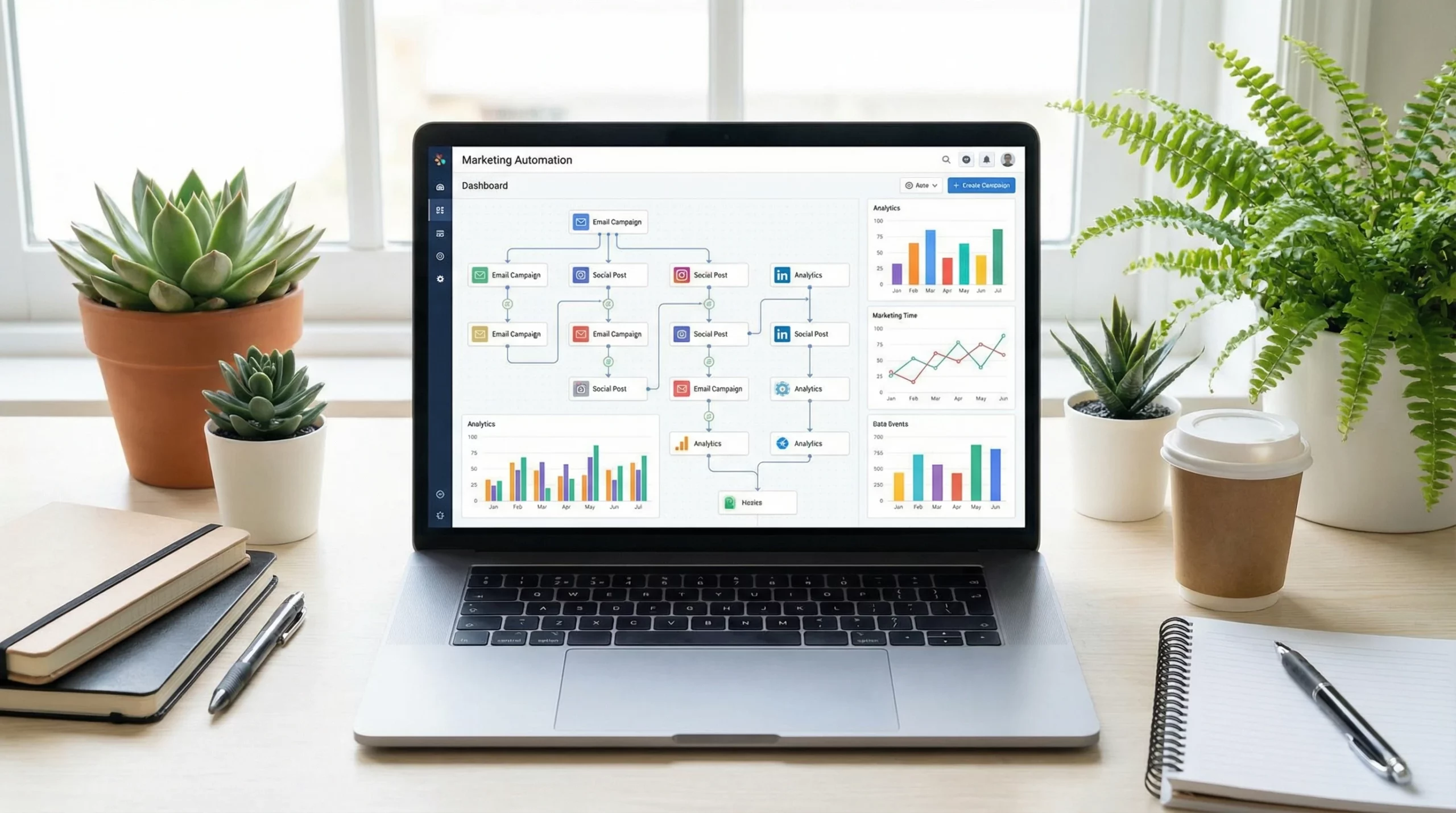
- Drag and Drop Workflow Builders: A visual interface lets me build automation steps without needing to code. This makes the process quick and intuitive, no matter your tech skills.
- Email Templates: Built-in designs help me create professional looking messages quickly. Many templates come optimized for mobile, which is a must these days.
- Simple Analytics: Easy to read dashboards show me what’s working at a glance, so I can spot trends and fix issues fast.
- CRM Integration: Connecting my marketing automation to a customer relationship management tool (like GoHighLevel) helps me personalize and track my marketing efforts across touchpoints.
- Responsive Support: Access to customer support makes learning the ropes less stressful. Good help resources save time and help you fix problems when they pop up.
Once I’m comfortable with the basics, exploring advanced features such as lead scoring, dynamic content, or multichannel campaigns can help take things to the next level. Always start small, and then add more capabilities when you’re ready.
Frequently Asked Questions
When I started learning about marketing automation, I found myself asking a lot of questions. Here are a few common ones I hear from others just starting out:
Question: Is marketing automation only for large businesses?
Answer: No, there are options for any business size. Many small businesses use free or affordable tools to handle email or social media automation, while larger companies can take advantage of more advanced features.
Question: How long does it take to set up marketing automation?
Answer: Getting started can be done in an afternoon for simple tasks, like automating a welcome email. More advanced campaigns might take a few days or weeks to plan and build, depending on your goals and platform. Don’t rush—setting things up right the first time pays off later!
Question: Does marketing automation mean I can stop all manual tasks?
Answer: Automation handles repetitive jobs, but I still need to check analytics, update content, and interact with customers in real time for best results. Automation is a boost, not a replacement for real engagement.
Starting Your Marketing Automation Adventure
Learning marketing automation can open up new possibilities for reaching customers, growing relationships, and making marketing tasks a lot easier to manage. I found that starting simple, picking the right tools, and being willing to experiment made a big difference. Whether you run a small online shop or manage a growing business, automation gives you more space to focus on creating value and connecting with your audience in a genuine way. Over time, you’ll find yourself able to do more and reach further than you ever could without these tools—boosting your marketing impact while still keeping things manageable.
This is one of the clearest introductions to marketing automation I’ve come across—thank you! You managed to break down a topic that usually feels overwhelming into something tangible and approachable. The real-life examples, especially the welcome email sequence and abandoned cart scenario, really helped the concepts click.
As someone just starting to explore this for a small side project, I’m curious: What’s the most common “first step” you recommend a beginner take when setting up their initial automation? And are there any free or low-cost tools you’d suggest for someone just dipping their toes in?
Thanks for creating such a helpful and unintimidating guide. Already feeling more confident about giving this a try!
Great question, Cian! For a ‘first step,’ I always recommend automating your Welcome Email Sequence. It’s high-impact and easy to set up. As for tools,Make.com has a generous free tier for connecting apps, and for email specifically, Systeme.io or MailerLite are fantastic free starting points. Start there, and you’ll see the magic immediately!
This guide couldn’t have come at a better time! As an affiliate marketer who still handles most of my email campaigns manually, I’ve been feeling that plateau you mentioned. I love your point about automation being a boost, not a replacement for real engagement. I’ve always been afraid of losing that personal touch, but your tip about using ‘I am learning to…’ or keeping the copy friendly really eases that worry.
Which of the platforms you mentioned, Mailchimp, HubSpot, or ActiveCampaign, do you think is the sweet spot for an affiliate who wants power without a massive learning curve?
Timing is everything! For affiliate marketers, automation is the secret sauce. If you can automate your ‘bridge page’ to ’email sequence’ flow, you stop trading time for clicks and start building a real asset. I’m glad the guide helped clarify the first steps for you!
This is an excellent description of something that I may be interested in. Along with my affiliate marketing business or venture, I also run a web site design/development business and software development as well. How should I go about implementing this for my website and web site design/development and software development including web applications?
Hi Marc, thanks for reaching out! With your background in software and web development, you are in a perfect position to leverage automation. For your dev business, I’d suggest starting with Lead Lead Scoring—using automation to filter out ‘tire kickers’ from high-value software clients before you even hop on a call.
For your web applications, you can use webhooks to trigger marketing sequences based on user behavior (like if they haven’t logged in for 3 days). Since you already understand logic, a tool like Make.com or even activecampaign would give you the granular control you’re likely used to in coding. Have you looked into ‘Event-Based’ triggers yet, or are you looking for more of a standard email funnel?