If you run a SaaS business, you’ve probably felt the pain of seeing hard-won customers leave. That’s customer churn, and it can hit your bottom line fast. After working in SaaS for years, I’ve learned that personalized email sequences are one of the most practical and affordable ways to reduce churn, strengthen customer relationships, and boost retention.
Here, I’m going to break down my experience with using personalized emails in SaaS to reduce churn, what works (and what doesn’t), and how you can use these email techniques to keep your customers happy and engaged.
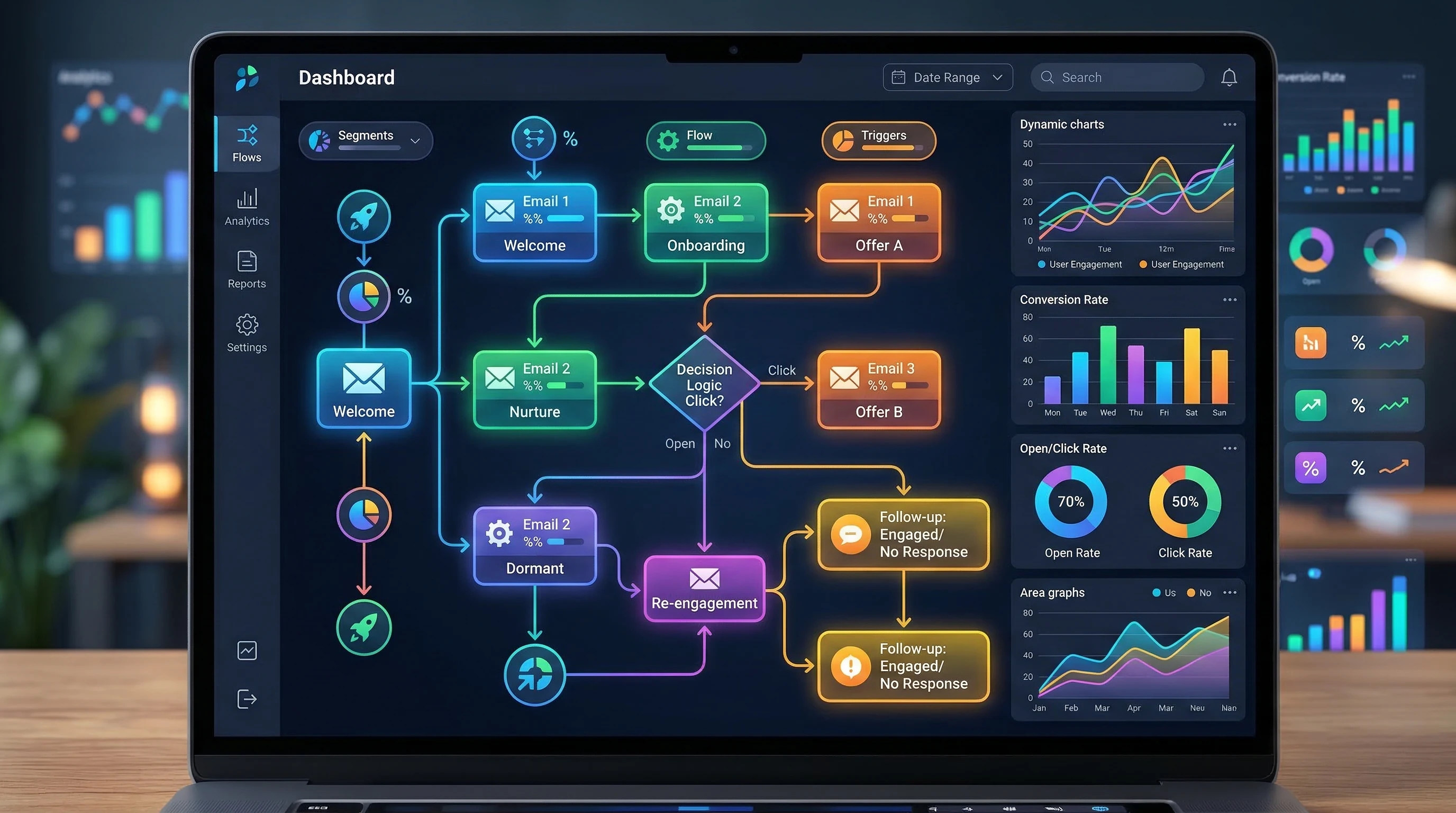
Topic: Reducing Customer Churn with Personalized Email Sequences in SaaS
Primary Focus: Using personalized, behavior-driven, and value-based email communication to lower churn rates in SaaS applications.
Audience: SaaS founders, marketers, account managers, and product owners.
Overall Rating for Effectiveness: 4.8/5
Ease of Implementation: 4.2/5
User Feedback: 4.7/5
Required Tools: Email automation platform (like Customer.io, Mailchimp, or Braze), data tracking tools, and CRM integration.
Customer Support Needs: High
Learning Required: Medium (basic understanding of segmentation, automation, and lifecycle marketing helps)
Free Tools Available: Most email platforms offer a free version or trial period.
Personalized email sequences work by meeting each customer where they are in their ride with your SaaS product. You’re not just broadcasting marketing messages, but instead sending targeted emails that actually solve your users’ problems, answer their questions, and help them see value at the right moment.
Over the past few years, I’ve seen how much more effective this is than generic, one size fits all emails. Customers who feel understood and supported tend to stick around. The key is using your SaaS’s data and user behavior to power timely, relevant emails that make sense for each person.
Meet the People Behind the Strategy
My name’s Mark, and I’ve been leading customer success and product growth campaigns for SaaS products since 2012. I first learned about the power of email when I was working as a product manager at a small SaaS company. We were losing almost 9% of our user base every month, and management was starting to panic. That’s when we decided to test a new approach: deliver highly targeted, personalized onboarding and support emails based exactly on what users did (or didn’t do) in the app. We cut our churn in half within six months. I’ve been obsessed with customer email rides ever since.
Every SaaS is different, but the principles stay the same: if you use data and genuine empathy to build your email sequences, you’ll help your users succeed and keep them subscribed much longer. I’ve worked directly with founders, customer success teams, and marketers to refine these strategies. If you ever want feedback or to share your own experience, drop me a line. I’m happy to swap stories or review your email sequences.
Why Do SaaS Customers Churn?
Before jumping into solutions, it helps to get real about why churn happens. Understanding these reasons is the first step to building great email sequences that actually make a difference. From my own experience and talking with SaaS teams, these are the most common reasons users leave:
- They never saw enough value to keep paying
- They were confused by the interface or setup process
- They ran into support issues and didn’t get timely help
- They found a better or cheaper alternative
- Their needs changed, or their team stopped using the product
- They forgot about your product after signup
Once you know WHY users churn, you can actually do something about it. This is where personalized email really shines, by reaching customers at key points, checking in before they quit, and encouraging positive engagement at the right times.
How Personalized Email Sequences Work in SaaS
Email sequences are sets of automated messages triggered by what your user does, their plan type, and the stage of their lifecycle. In SaaS, most successful email sequences fall under three main buckets:
- Onboarding sequences (helping users get started)
- Engagement and value focused sequences (helping users see more value)
- Reengagement or winback sequences (trying to reactivate users before they churn)
Personalization goes further than just adding a first name. You can tailor content based on what features users interact with, their company size, their support tickets, or even their industry. It’s about sending the right email to the right person at the right time.
Some of my best results have come from simple, behavior based triggers. Maybe your user signed up, but never added team members; send a helpful guide and a quick check in. If someone’s usage has dropped for a week, a “We miss you!” note and a reminder of unused features can wake them up before it’s too late.
The Key Benefits of Personalized Email Sequences for SaaS
I’ve seen firsthand how a thoughtful email sequence can make a huge difference. The main benefits I’ve noticed are:
- Retention increases: email reminders and value focused nudges keep users engaged longer
- Education: teach users how to get the most from your app
- Support: answer common questions and overcome blockers fast
- Relationship building: build trust by showing you care about user success
- Upsell and cross sell: once trust is built, introduce relevant new features or higher plans at the right time
When your emails actually help people, they’re welcomed, not ignored.
Setting Up a Successful Email Sequence: Step by Step
After working on dozens of campaigns, here’s the practical approach I use every time. You can adapt this to any SaaS, whether your team is big or small.
Step 1: Map the User Ride
I always start by sketching out the main points in a customer’s life with the product. This usually covers:
- Signup and onboarding
- First success (the “aha!” moment)
- Adoption of more features
- Signs of risk or disengagement (like usage dropping off)
- Plan renewal or upgrade time
- Cancellation or churn warning signs
I talk to the support team, look at analytics, and even interview a few users to find out where people get stuck. That’s how I decide which touchpoints need an email intervention.
Step 2: Segment Your Audience
Not all users are the same. Some are solo entrepreneurs and some are big teams. Some churn when they don’t see results in a week, others stick it out. I always build basic segments based on:
- Account size (solo, SMB, enterprise, etc.)
- Usage level (power user, casual, inactive)
- Current plan or subscription type
- Main job to be done (what they’re actually using the product for)
This lets me send the right message to the right person. A beginner won’t need the same guidance as a power user, and a startup may care about different features than an enterprise.
Step 3: Write Email Templates That Put Customers First
I write every email as if I’m answering a real person’s question. I include screenshots, step by step tips, and sometimes even little Loom videos if the process is confusing. For each email, I ask:
- What’s the one thing the user needs to do next?
- What’s blocking them from succeeding?
- How can I make life easier for them?
I keep subject lines clear, and messages short and to the point. If a user replies, I make sure support reaches out personally within 24 hours.
Step 4: Automate and Measure Everything
I use platforms like Customer.io, Mailchimp, or Intercom to automate sequences. Every email is tied to a user action (or inaction). Tracking is super important; I always watch open rates, click through rates, and, most importantly, the churn rates before and after each sequence goes live.
If users aren’t opening emails, I test new subjects or timing. If lots of people click an in email help link, I consider adding that answer right in the next version of the email.
Email Sequence Examples and Templates
People always ask for real life examples. So here are some email sequence outlines that have worked great for me in the past.
Example 1: User Onboarding Sequence
This can make or break your entire retention if you get it right. Here’s a standard sequence I use:
- Welcome email (Immediate): “Glad you’re here! Here’s the 3 step quick start guide.”
- Setup checklist email (Day 2): “Complete your profile to get the most out of your account”
- Activation push (Day 5): “You haven’t added your first project; need a hand? Here are some tips.”
- Milestone celebration (Day 7): “You’ve completed your first task; awesome work! Next, try…”
This entire flow can change based on what the user has or hasn’t done inside the app. If someone gets stuck, I send a support link or offer to hop on a quick call.
Example 2: Idle User (Reengagement) Sequence
For users slipping away, I reach out before they decide to cancel:
- First nudge (Day 10 of inactivity): “We noticed you’re not logging in as often; can I help?”
- Feature spotlight (Day 13): “Did you know you can [useful feature]? Most people see results in 5 min!”
- Winback offer (Day 16): “Reply if you want a 1:1 session or have any questions.”
About 15% of inactive customers have reactivated with just a few well timed, supportive emails like this.
Example 3: Cancellation Save Sequence
If someone starts the cancellation process, I try to address their concerns directly:
- Immediate email: “I’m sorry to see you go. Is there anything we can improve? Here’s a 2 minute survey, or reply to me directly.”
- Followup (2 days after): “We’d love to keep you. Can I offer an extension, or help with setup?”
- Final note (1 week after): “If you ever want to come back, your data’s safe and we’d love to have you.”
This feels personal, and often opens up a direct channel to solve problems, or at the very least, learn what went wrong.
Personalization Tactics That Really Work
Anyone can send a bunch of emails, but real personalization takes a little more effort. Some ways I make emails feel genuinely personal:
- Mention the user’s company, team size, or industry
- Reference specific features they have or haven’t used
- Include recent activity or achievements (“You just uploaded your 10th file!”)
- Use real support staff names (not generic signatures)
- Send region specific tips or updates if you have international customers
I avoid sending emails that feel like automated blasts. I also always make it easy to reply or reach a real human.
Best Tools for Managing Email Sequences in SaaS
I’ve worked with everything from huge enterprise suites to free tools. These are my recommendations:
- Customer.io: Flexible, great for SaaS, tons of trigger options
- Mailchimp: Userfriendly, affordable, good for startups
- Intercom: Combines live chat and email with strong automation
- Braze, HubSpot, ActiveCampaign: Great for scaling up or advanced segments
You don’t need a huge budget to get started. Most of these offer free plans or trials so you can build your first sequence and test the results before fully committing. Make sure your tool of choice integrates with your app data and can trigger emails based on real user actions.
Tracking Success: Measuring Churn and Email Impact
You can’t manage what you don’t measure. These are my favorite metrics that show whether email campaigns are really working:
- Churn rate: The percentage of customers who leave (monthly or annually)
- Activation rate: How many new users hit their first key milestone
- User engagement: Logins, features used, or task completion after receiving emails
- Email metrics: Open rates, click through rates, and reply rates
When I see churn dropping after launching a new personalized sequence, I know I’m on the right track. If nothing moves, I tweak the timing or content and try again. Iteration really matters here.
Common Pitfalls with SaaS Email Sequences (and How to Avoid Them)
When I first started, I made plenty of mistakes. Over time, I’ve learned a few things you’ll want to keep in mind:
- Too many emails: Bombarding users annoys them. I keep emails relevant and spaced out.
- No clear call to action: Every email should help the user take the next step.
- Sending the same message to everyone: Segmentation is really important for good results.
- Forgetting about mobile: Most users read email on their phones, so design for easy mobile reading.
- Not tracking replies: Replies are valuable insights; I set up alerts so I can follow up fast.
Building Long-Term Relationships with Customers
If you want churn to stay low, don’t stop after onboarding. I put just as much time into educating users about new features, celebrating their wins, and checking in if they haven’t logged in for a while. Some extra tips from my experience:
- Feature updates: I announce new features with clear “how to use” guides and offer help directly in the email.
- Customer feedback: I ask quick questions in emails to learn what’s working and what’s not.
- Community building: I invite users to webinars, community forums, or user groups; they often stick around longer when they feel connected.
- Exclusive offers: Sometimes a personalized beta invite or discount keeps a wavering customer engaged.
When users know I’m there to help, not just to sell, they become loyal advocates who recommend my product to others, further reducing churn without additional marketing spend.
Case Study: Cutting Churn in Half with Email Automation
I once worked with a SaaS tool aimed at small businesses. They had a free trial conversion rate around 15%, which wasn’t bad, but churn after the first payment was almost 30%. We put together a set of five onboarding emails based on user actions, along with three reminder emails for users who didn’t log in after seven days.
Within four months, first month churn had dropped to 16%, and trial conversions edged up to 19%. Most importantly, support tickets asking “How do I get started?” and “Can you help me?” dropped by over 40%. Users told us directly in survey replies that the emails made setup clear and reminded them to come back, and several users thanked us personally for being “less annoying and more helpful than other SaaS tools.” The result: more revenue, less pressure on support, and happier customers.
Practical Tips for Getting Started (Even if You’re Busy)
If your team is strapped for time, you can still get a basic churn reducing sequence up and running:
- Map out 3 or 4 major user stages where customers typically drop off
- Write a short email for each stage offering help or guidance
- Set up tracking to trigger emails automatically when users meet these criteria
- Make it simple for users to reply for support
- Watch churn rates, and improve emails each month based on feedback
You don’t need to be perfect from day one. The biggest improvement often comes from just starting, and then listening closely to what customers say and do in response.
Advanced Personalization Techniques
When you’re ready to go beyond the basics, try some of these:
- Dynamic content: Show or hide email sections based on user data or behavior
- Predictive churn modeling: Use machine learning or analytics to spot users likely to leave, and trigger proactive emails
- Integrated support: Insert direct links to chat, help docs, or live Q&A sessions inside email sequences
- User driven onboarding paths: Let users choose what they want to learn more about (“I’m interested in feature X”)
The more relevant and timely the message, the better the results. Just make sure to balance automation with plenty of real, human follow up, especially for higher value customers.
Building a Customer-Centric Company Culture
Email is only one piece of the puzzle. The best results I’ve seen are in companies where everyone cares about customer success. That means product, support, marketing, and sales all share updates about customer feedback and work together on retention campaigns.
If you want your email program to succeed, share churn stats, survey results, and feedback internally. When everyone knows what’s driving users away or keeping them, targeted email campaigns become much easier to create and improve.
Recommended Resources for SaaS Retention and Lifecycle Emails
I’m a long time reader and learner. Some practical resources I recommend:
- GetVero SaaS Email Examples: Real life onboarding, conversion, and winback emails for SaaS.
- Chargebee Academy: Churn in SaaS: Essentials on churn and retention with practical case studies.
- Intercom Blog: Understanding Customer Churn: Super detailed advice from SaaS experts.
Pricing: What Does This All Cost?
Many SaaS marketers worry about the cost of new tools or extra team time. The good news is that reducing churn via email is one of the highest ROI investments you can make. My own tests show that even sending basic personalized emails can yield big returns—keeping one extra customer often pays for your email tool many times over.
On average, I’ve paid between $0 (for tiny lists) to around $100/month for premium email automation with integrations. Most SaaS companies can get started for free or with low cost options, scaling up as churn drops and revenue rises.
Takeaways and Action Steps
Lowering churn with personalized email takes work, but it pays off quickly. If I had to give you a quick action plan, it would look like this:
- Understand why your customers churn—talk to users and support staff
- Map key user stages and identify high risk moments
- Set up segmented, relevant email sequences triggered by real behavior
- Measure results, learn continuously, and improve your emails with feedback
- Invest in tools that make personalization and tracking easy (you don’t have to spend a fortune)
If you focus on helping vs. selling, and meet your users where they are, you’ll see more active customers, stronger referrals, and lower churn. That’s been my path, and I’m confident it can be yours, too.
If you want more tips or want to share your own experience, feel free to reach out. I always enjoy learning about how other SaaS folks are tackling churn and customer success.