
 In 2026, writing each blog post by hand feels like riding a bicycle while your competitors zip past in high-speed trains. Companies like TripAdvisor and Yelp never wrote individual reviews for each city or restaurant; those pages were created automatically using smart systems. That’s programmatic SEO (often called pSEO), and the game has changed. It’s no longer about flooding the web with low-quality content. Today, building data-rich, intent-based pages that answer real user questions on a massive scale is how winners pull ahead.
My goal isn’t just to increase web traffic. I’m here to show you how to build a content moat—a giant, evergrowing library of answers covering every corner of your niche. This moat makes it nearly impossible for competitors to catch up, provided you stick to quality and avoid thin, copycat content. Set the bar high with your value, and you lock in results.
This guide will walk you through everything I’ve learned building “factory-style” sites, including the full no-code stack, each step to scale safely, and how to win on Google with the latest best practices. You’ll learn how to generate and rank 1,000 or more landing pages—without ever touching code.
The 2026 No-Code Tech Stack (Under $300/month)
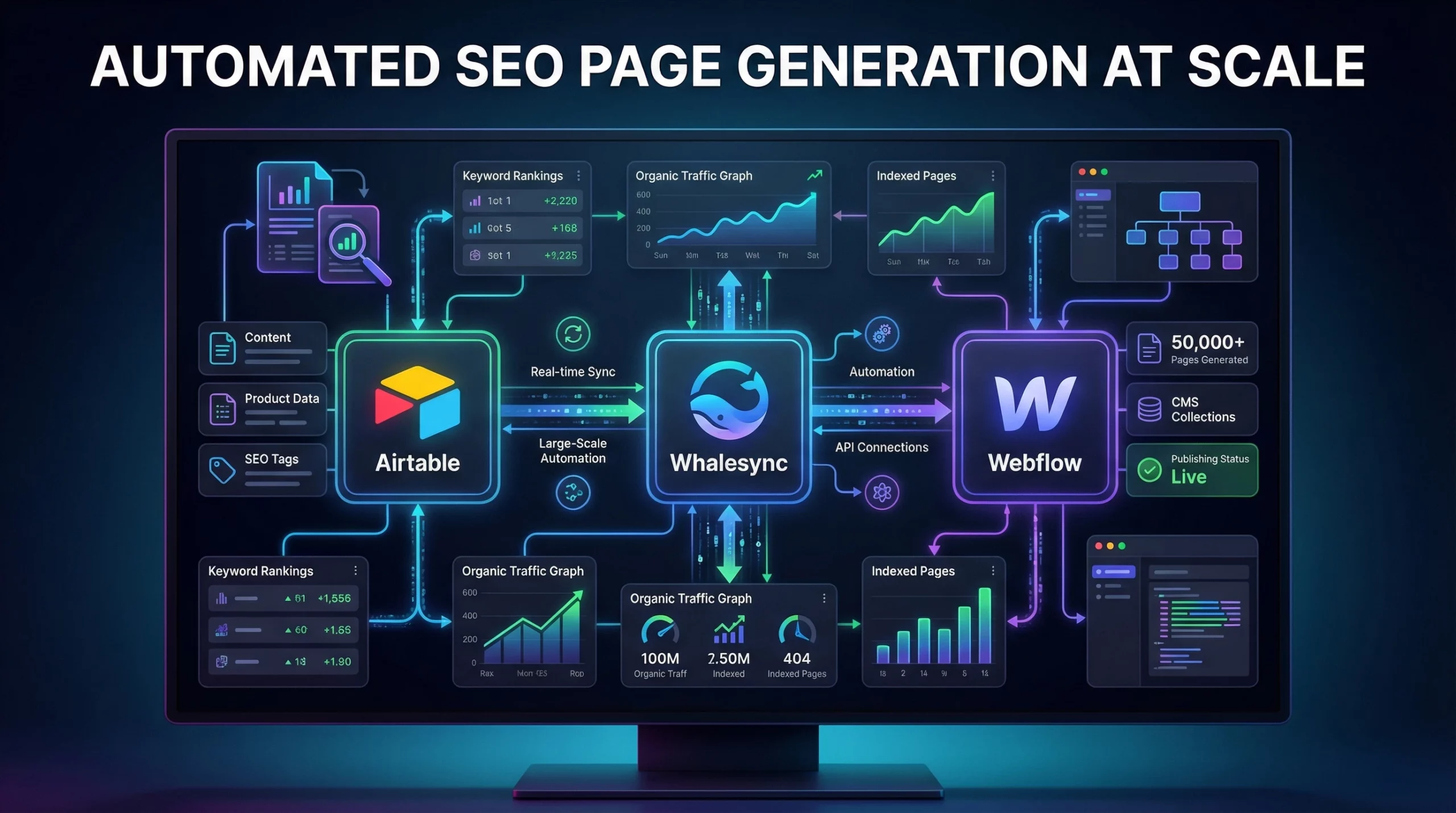
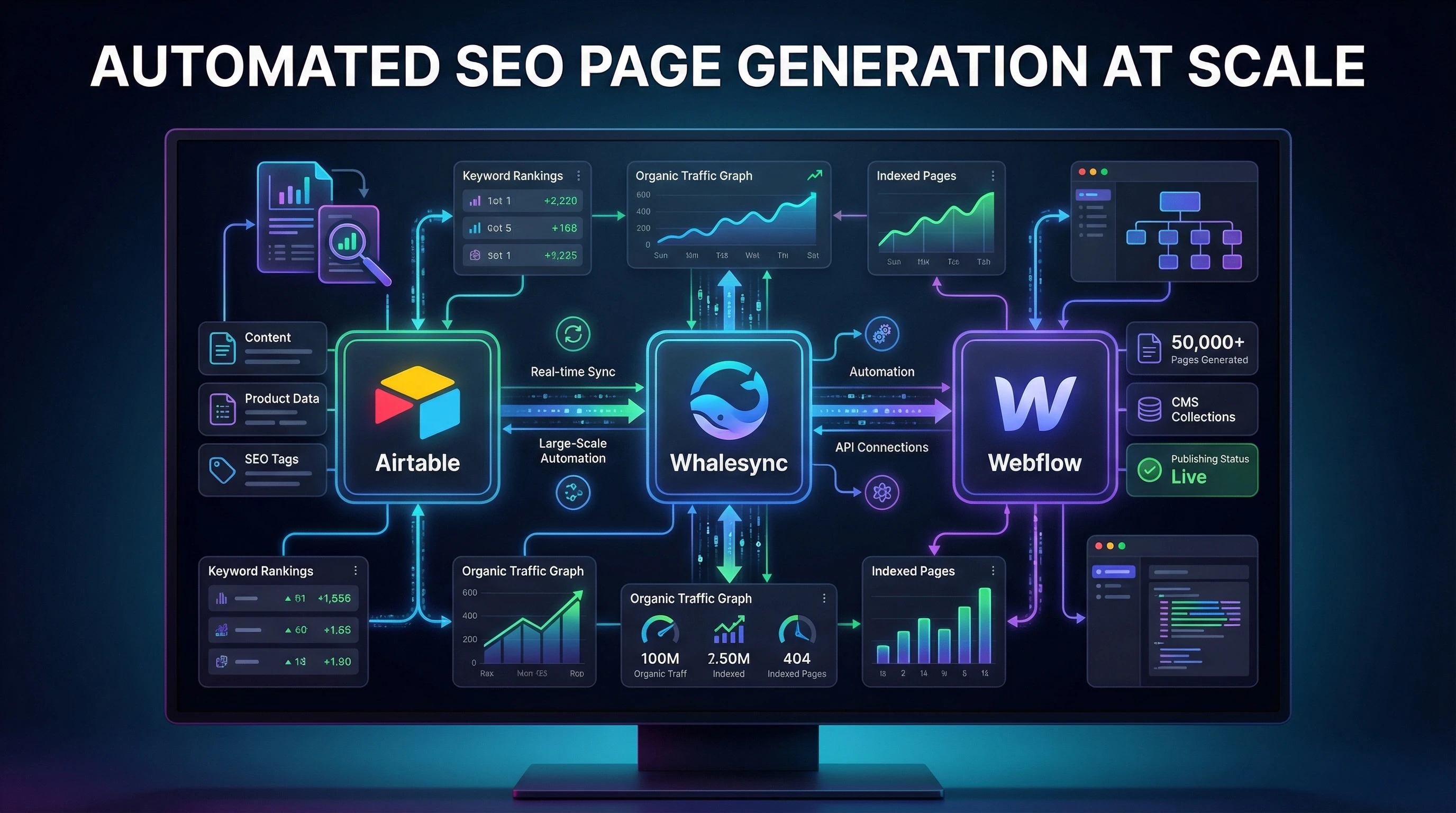
Programmatic SEO platforms can become expensive or overly technical, but in 2026 you can set up an entire workflow using no-code tools for far less than hiring a developer. Here’s my preferred stack for pSEO. These tools connect together to build, sync, and publish hundreds, and even thousands, of unique landing pages every month:
- Airtable – The brain of your project. I use it to store structured data like cities, products, addresses, review scores, and more. Each row becomes a single page.
- Webflow – The storefront that users see. I craft a sleek “master template” that can display content dynamically, such as lists, tables, or interactive elements. Every pixel counts, since your template is the face of your mega-site.
- Whalesync – The glue linking my Airtable and Webflow. It syncs new data from the spreadsheet straight to my site, no manual copy-paste needed. When I update Airtable, the site changes instantly. That seamless connection makes scaling straightforward.
- Octoparse – For scraping and collecting large datasets (like product specs or business listings) when I can’t license data directly. It lets you gather up valuable info quickly and populate your base with unique data to rank for.
- ChatGPT (or AirOps) – To auto-generate unique headlines, intros, and descriptions for every page. This helps me dodge duplicate content and adds real value for users, by making every page shine on its own merit.
With this stack, anyone can automate, expand, and launch big websites. No developer on payroll, no custom servers to maintain, and no headaches. Just plug, play, and launch.
The 5-Step Framework to Generate 1,000+ Pages with No-Code
- Spot DataRich SEO Opportunities
For pSEO, I always look for repeatable formulas where people search for things like “plumbers in Austin,” “best running shoes for flat feet,” or “cafés with vegan menus in London.” I dig into keyword tools (like Ahrefs or SEMrush) and check out Q&A sites, forums, or even Google autocomplete to find patterns. Big opportunities include:
- “[Service] in [Location]” (e.g., “Divorce lawyers in Houston”)
- “Best [Product] for [Use Case]” (e.g., “Best headphones for gamers with glasses”)
- Comparison or pricing pages (“Cost of [X] in [City]”)
I steer clear of topics lacking lots of unique data for each page since that’s a quick way to end up with thin content that doesn’t rank. Sometimes, you can mix in some variety by adding unique elements per page, even if your head term is competitive.
- Build a Strong Data Foundation in Airtable
This is where the magic happens. I build an Airtable base with columns for every variable element: Name, Category, City, Map Embed, Main Features, Pricing, Star Ratings, the list depends on your niche. Each row is a future page, so even 2,000 rows means 2,000 potential landing pages. I clean up and doublecheck the data, since any errors here will show up everywhere once live. Your data acts as the foundation, so give a once-over to every detail.
- Design the “Master Template” in Webflow
I focus on designing one beautiful page template that pulls in data using dynamic placeholders (like “Top 10 [Service] in [City]”). I build in spots for maps, review widgets, product carousels, pricing tables, and any other custom info my audience really wants. Every extra feature gives a boost in real value and helps you stand out versus generic lists. Don’t be afraid to add some unique sections or playful visuals to keep users engaged.
- Enrich Content with AI (Super Important)
This isn’t about spinning text. I use ChatGPT or AirOps to craft unique intro paragraphs, summaries, and microcaptions for images. Sometimes I even prompt AI to create feature comparisons in table formats, explain differences, or write topical FAQs per page. I export that AI text and add it to each Airtable row, so every autogenerated page feels handwritten rather than robotic. This really helps dodge duplicate content problems and gets better rankings. A touch of personal commentary in each section can make it feel more authentic and gives a boost to EEAT.
- Sync & Launch (Staged Rollout Only)
Once I’m confident with my data and page design, I fire up Whalesync to sync Airtable and Webflow. Now, I could publish every page in one click, but that puts a heavy strain on my crawl budget and sometimes triggers Google to skip over huge chunks of pages. Instead, I always set a pace, launching 50 to 500 pages per day, so Googlebot stumbles upon the content naturally. This makes indexing smoother and more reliable, and lets me spot and fix any issues before pushing out thousands of URLs at once. Staying sharp during rollout keeps things running smoothly.
2026 Best Practices: Generative Engine Optimization (GEO) & EEAT
Ranking well in 2026 means thinking about both human users and how AIpowered search engines like Perplexity and Gemini read and translate pages. Here’s what I always focus on now:
Optimize for Generative Engine Optimization (GEO)
- I include summary tables and bulleted lists high up on every page. AI assistants love quickreference content that breaks it down fast.
- I use proper JSONLD schema (like FAQPage or Product markup) wherever possible. This helps my data show up in rich results or get pulled into AI answers. Don’t forget to give a onceover on your structured data with Google’s testing tools.
- Pages are mobilefirst and fastloading, with small images and deferred scripts. This matters for everyone, whether human or AI. Cutting load speed keeps bounce rates low and boosts rankings.
Build Real EEAT Signals
- I show “experience” by including unique elements like verified user reviews, real product pricing, and photos wherever content looks templated or generic. A little bit of realworld proof goes a long way.
- If I use AIgenerated content, I always edit or layer in personal commentary. Pages that feel copyandpasted rarely rank for long. Authentic tone keeps your library in Google’s good graces.
- I collect citations, references, and external links to show “authority,” especially on topics where trust is needed (like medical, legal, or financial info). Link to reputable sites or primary sources when possible to add credibility.
Site Structure: Avoiding Orphaned Pages with Hub and Spoke
- Every “spoke” (such as “Pediatricians in Dallas”) links back to a main “hub” page (for example, “Pediatricians by City” or the core category). I also include links to related cities and popular resources within my pages. These connections help both users and crawlers explore the site fully.
- This model helps users and search engines find their way deep into the site, prevents orphaned pages (pages not linked from others), and keeps indexing strong. Connecting hubs and spokes together keeps your site structure healthy.
Common Pitfalls (Don’t Do This!)
Experience shows me that shortcuts don’t pay in programmatic SEO. Here are mistakes I’ve seen—even from seasoned marketers—that can tank a whole project fast:
- Thin Content: Publishing hundreds or thousands of nearlyidentical pages (like “[Product] in [City]”) with no unique value or data is an easy way to get deinexed. Always give a boost with extra info, FAQs, or user data, so your pages offer something real.
- Indexing Bloat: Autogenerating too many poorlyoptimized pages overloads Google’s index. This slows crawl rates and can cause good pages to get missed. Stick to your staged rollout and keep your sitemap tidy and organized; don’t make Google work harder than needed.
- Slow Speed / Poor Core Web Vitals: Using big images or bloated scripts means your site slows down and loses rankings. I always optimize each page for speed, run checks on PageSpeed Insights, and test every launch before putting it out there for users and crawlers alike.
FAQ: People Also Ask (2026 Edition)
Is Programmatic SEO spam?
If you flood the web with low-value pages, then yes, it’s spam in Google’s eyes. But if you create high-quality, unique, and helpful content that answers real user questions, Google considers this white-hat and will reward you with good rankings. Personally, I always aim for quality first and only scale what truly helps users.
What is the best programmatic SEO course?
There are a few reputable courses that stay up to date on the latest no-code SEO automation strategies. Growth Ramp and PSEO Playbook are two I’d recommend. I’ve learned the most by actually building projects and looking over competitor sites that keep their rankings strong year after year.
Whalesync vs Zapier for SEO?
I’ve used both, but I choose Whalesync for these projects since it specializes in syncing structured data (like Airtable to Webflow CMS) and is really fast. Zapier works well for general automations, but for bulk page creation and pSEO tools, Whalesync wins for reliability and smooth setup every time.
How do I prevent orphaned pages in programmatic SEO?
Planning your internal linking using a “hub and spoke” model is really important. Each child page should link back to a main category or hub, and ideally also to related locations or variations. That way, Google stumbles upon every page and keeps your whole library visible in search results down the road.
Key Takeaways and Next Steps for 2026
Programmatic SEO is more powerful than ever in 2026, but only if you keep the focus on helpful, wellstructured, and unique content. Building a thousand or more autogenerated pages is possible for anyone if you use the right no-code tools, enrich your data, and avoid shortcuts that lead to penalties. Your moat is only as strong as the info you put in it, so keep raising the bar at every step.
Ready to try it yourself? Think about your niche: What is one “head term” or formula (like “[Service] in [Location]”) that you think could grow into a library of rich landing pages? Drop your idea below, and I’ll share some feedback from my experience! And if you’re stuck, find your spot in the data sea, start small, and ramp up as you go. The ride is worth it!
This is a really insightful guide! I love how you break down programmatic SEO step by step and show that scaling to thousands of pages doesn’t have to mean low-quality content. The focus on no-code tools, staged rollouts, and enriching pages with AI-generated but human-edited content makes the process feel practical and manageable.
I’m curious what others think: have you experimented with programmatic SEO yet, and how do you ensure each page still adds real value to readers? For those just starting, which niches or “head term formulas” do you see as ripe for a large-scale, high-quality content library?
It would be great to hear different strategies, tools, or lessons learned from the community on scaling content without sacrificing quality.
Hello,
This was such an eye-opening read, thank you for breaking down something that could easily feel super technical and intimidating. Programmatic SEO always sounded like one of those big marketing buzzwords until I read something that actually explained how it works in plain language, and your article really did that well. I liked how you explained turning one template into lots of unique pages targeting different searches and made it feel doable even without a developer background.
I also appreciate that you didn’t just focus on scale but talked about the importance of quality and relevance so people don’t end up creating content that doesn’t actually help real users. That part really stood out to me because it’s easy to forget the human side when people talk about automation and growth.
Something I’ve been thinking about after reading this is whether most people struggle more with the technical setup or with the content strategy behind the templates. From your experience, what part do you see people getting stuck on the most when they first try scaling pages like this? I’d love to hear your thoughts.
Angela M 🙂