
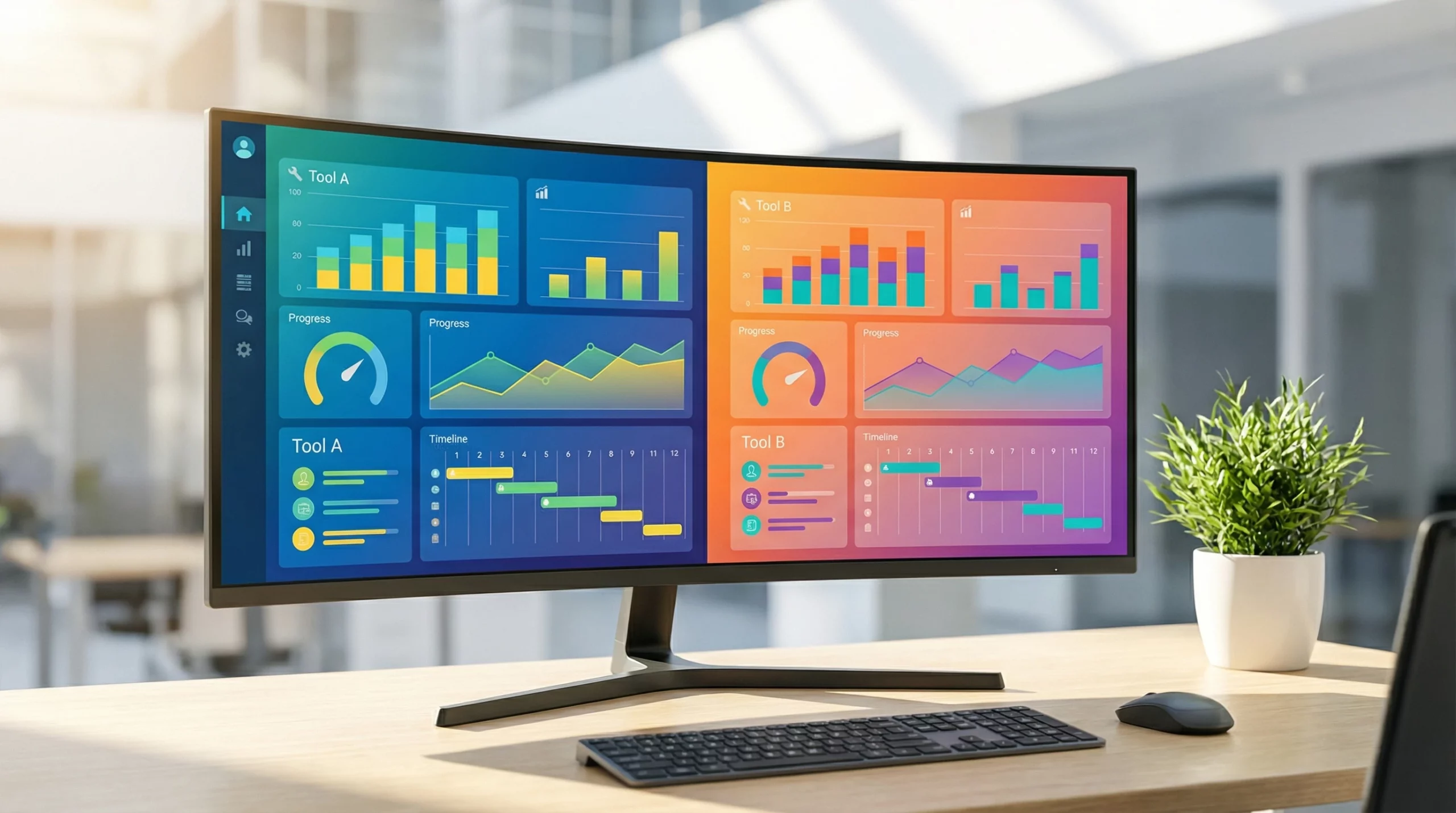
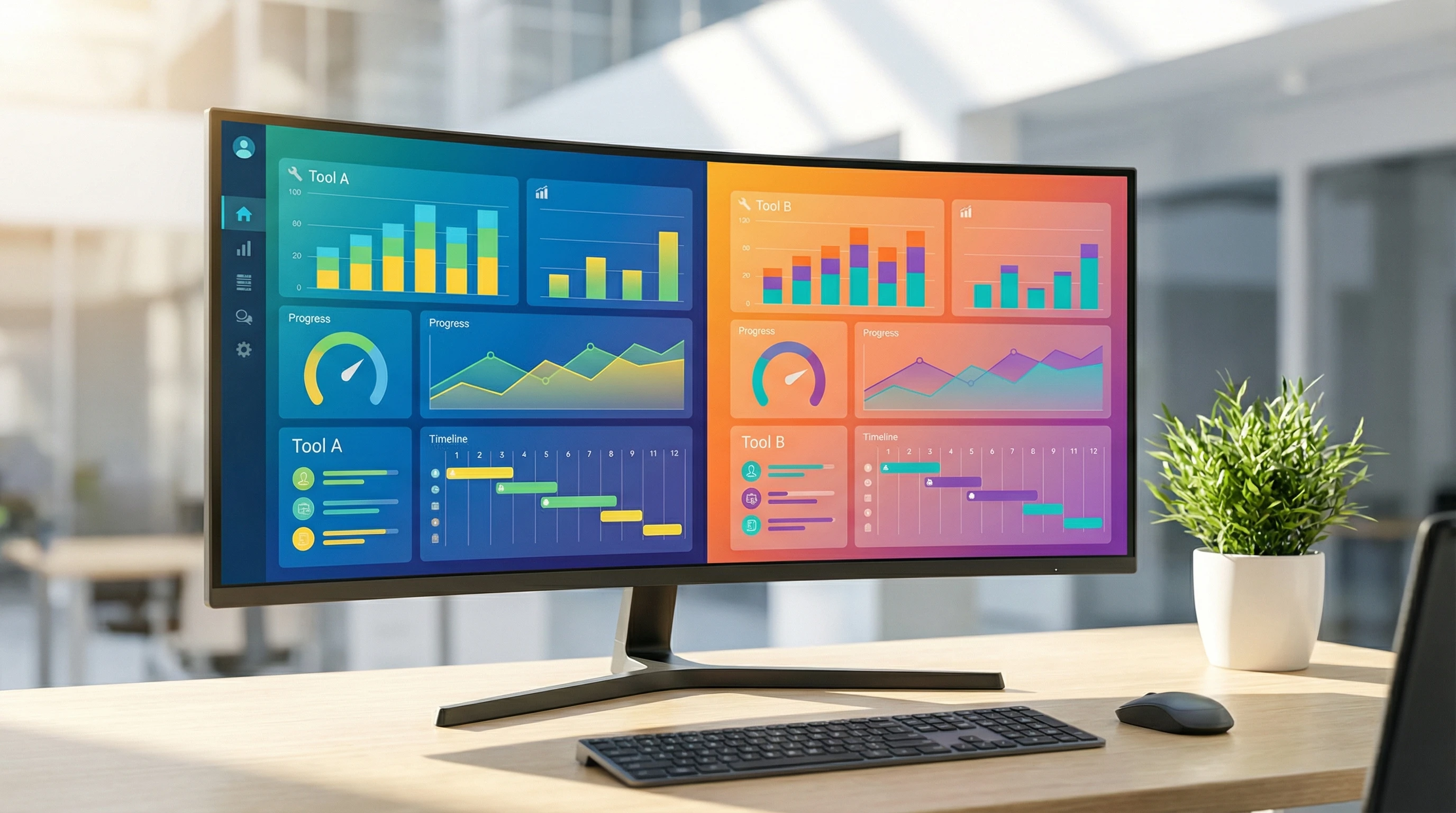
If you’re choosing the best project management tool for teams in 2026, you’re probably deciding between Monday.com and Asana. Both platforms are top choices in project management, but their vibe and their approach to workflow are very different. Monday.com works like a visually driven operating system for your work, loaded with bright dashboards and seemingly endless ways to build your own processes. Asana is a no-nonsense task manager, offering structured lists, clear navigation, and a focus on what matters most—getting stuff done efficiently.
I’ve spent years helping organizations set up both Monday and Asana across marketing, operations, and product teams. Both tools have helped me launch campaigns, track progress, and gain control over chaos. But I’ve also seen firsthand where each can frustrate, especially when a team’s work culture doesn’t match up with the software’s strengths.
If you’re serious about finding the right fit for your team—even if you bounce between creative work and structured execution—here’s my real-world breakdown. I’ll cover the atmosphere, features, reporting, integrations, and the honest truth about pricing that many reviews skip over.
Monday.com vs. Asana at a Glance
| Feature | Monday.com | Asana |
|---|---|---|
| Best For | Marketing & Ops Teams | General Projects & Scaling Startups |
| Visuals | Bright, Custom Dashboards | Minimal, Focused Lists |
| Reporting | 40+ Dashboard Widgets | Basic Charts |
| Integrations | 80+ Apps, Actions Limited | 200+ Integrations, Uncapped |
| Pricing Model | Seat Bundles (3 user min) | Per User |
| Free Plan | 2 Users Only | Up to 15 Users |
Getting to Know the Competitors
What is Monday.com?
Monday.com is billed as a “Work OS,” truly an allinone visual platform for building out your own unique workflows. Imagine it as an online spreadsheet packed with colors, automation, and widgets. It lets you organize projects using tables, boards, timelines, charts, and just about any widget you can imagine. I’ve watched marketing teams use it to launch multichannel campaigns, ops teams build unique ticketing, and agencies run recurring workflows—all in one place.
What is Asana?
Asana centers on tasks and hierarchy. Projects are laid out as lists or boards, with subtasks and sections helping you create order. Out of the box, Asana feels streamlined, focusing on helping individuals and teams move tasks from “To Do” to “Done.” This is a massive plus for teams looking for less fuss, a distractionfree interface, and one spot for personal and team tasks alike.
Who is Each Platform Best For?
- Monday.com: Teams that love dashboards, visuals, and custom automations. Especially popular with marketing, creative operations, agencies, and anyone who needs a “command center.”
- Asana: Teams who live by lists, want personal task tracking built in, or care about lots of integrations. Great for fastgrowing companies, SaaS startups, and project leads who want tight control over task hierarchies.
Monday vs Asana Comparison: Pros & Cons (2026)
Monday.com Pros
- Extremely visual, easy to customize dashboards
- 40+ reporting widgets for all sorts of data
- Strong automations and workflow building tools
- Flexible views: table, kanban, timeline, Gantt
- Great for cross team operations and creative work
Monday.com Cons
- Pricing forces “seat bundles,” not true per user
- Integrations and automation actions are limited per month unless you upgrade
- Reporting can get overwhelming for new users
- Free plan extremely limited for teams
Asana Pros
- 200+ builtin integrations, most uncapped
- Simple, sleek interface with powerful “My Tasks”
- Clear task hierarchy and project structure
- Free plan supports up to 15 users
- Easy adoption, barely any training threshold
Asana Cons
- Reporting is basic unless you pay for higher tiers
- Timeline/Gantt chart limited on entry plans
- Customization less powerful than Monday
- Can feel too “bare bones” for designdriven teams
Round 1: Interface & Philosophy – Team Vibe Check
After trying both tools with big and small teams, I can tell you the atmosphere you get from each is very different. Monday.com never looks the same between teams. I regularly build dashboards with big, colorful widgets showing campaign progress, budgets, and creative approvals. This platform feels like a digital whiteboard that updates in real time; it’s perfect for marketing or operations teams who want to see their work as moving parts.
On the other side, Asana puts everything in tidy lists. The main “My Tasks” page is a lifesaver when work piles up. I use it to block off personal focus time, knock out priorities by due date, and hand off subtasks without missing a thing. Because it’s so structured, I see less confusion for teams who follow strict deadlines or manage recurring projects that involve multiple dependencies.
- Monday “Vibe”: Visual, fun, and interactive. Feels alive. Good for people who want to build and adjust workflows over time.
- Asana “Vibe”: Minimalist, organized, and calm. Focuses you on your tasks—best for those who want a clean board or list, not a dashboard full of widgets.
One realworld example: I’ve helped a creative agency use Monday.com to map out five simultaneous client campaigns, tracking assets, reviews, and approvals with colorcoded boards. They loved seeing their projects “move” visually. By contrast, a SaaS startup I worked with preferred Asana for its straightforward lists, letting engineers zero in on bug tickets and tasks instead of navigating visual dashboards. Both strategies delivered results, but the match between platform and team style made the process smoother and less stressful.
Round 2: Features & Reporting – Monday Pulls Ahead
Monday.com has packed in more features than most teams will ever fully use. For data lovers, the 40+ dashboard widgets are a dream. You can see live burndown charts, team workloads, deadlines by status, and even set up custom reporting formulas. The new Monday DB (Database, launched in 2026) finally lets you work with massive data sets, so you can handle everything from lead tracking to large campaign reporting without lag. I’ve loaded Monday with thousands of project records, and performance remains solid compared to older versions.
Asana does charts but keeps them basic until you pay for the highest plans. Progress gets tracked, but the visuals aren’t as flexible or detailed. For most straightforward projects or if you only care about staying on top of lists, this is fine. However, when I’ve needed to build real execlevel reports or budget dashboards, Monday just offers more advanced options.
- Monday.com: 40+ widgets, drag and drop dashboards, full visual customization, bulk data features
- Asana: Good for tracking basics, but not as strong for reporting, no true “command center” style views
One more thing that deserves mention—Monday.com’s ability to display multiple project boards side by side. If you’re running a team that wants to track several workflows in one view, this can save serious time each week. Asana’s reporting mostly focuses on lists or a single project context, so cross-project insights can require more setup or thirdparty add-ons.
Round 3: Integrations – Asana Wins
This is the spot where Asana really stands out. If your team uses a bunch of cloud apps—Google Drive, Slack, Zapier, HubSpot, Zoom, Salesforce, and more—Asana supports you. With 200+ native integrations available even on the free plan, I can connect nearly any major app out there with little setup. Asana also supports advanced automation through its API and partner tools. I find this saves real time, especially for teams who switch up software frequently or need reliable, uncapped integration volume.
Monday.com has improved integrations, but most tiers have a very real limit on the number of integration “actions” per month unless you upgrade to a higher tier. Teams often hit these limits when automating email, CRMs, or reporting tasks. If integrationdriven workflows are critical, this cap makes a big difference. On tight budgets, I’ve even had to stop some automations midmonth, which frustrated the team.
- Monday.com: Integration library is growing, but actions capped per plan
- Asana: Huge integration range, mostly uncapped, works with almost all popular SaaS apps
To give a realworld example: a marketing department I support uses Asana’s free plan to link up Zapier, Slack, Google Drive, and Trello, keeping campaigns synced across every department. Meanwhile, one midsized firm using Monday.com hit their integration action caps three months in a row, which forced them to either upgrade or roll back automations until the new month started. Asana’s uncapped structure in this area makes life smoother for multiapp teams.
Round 4: Pricing – The “Ghost Seat” and Hidden Costs
This is the part where a lot of teams get caught off guard. Most project management pricing looks simple, but the reality only surfaces once your team starts to grow, add members, or change structure.
Asana offers a truly usable free plan for up to 15 users, making it a solid option for startups and smaller teams. If you want advanced features like workload, reporting, or admin controls, you’ll still need to upgrade, but at least it’s per user. You’ll never find yourself paying for staff you don’t actually have, which is key for budgetconscious groups.
Monday.com has a free plan, but it’s extremely limited after your team grows beyond two people. Once you need more seats, you have to buy “bundles” (multiples of 3, 5, or 10 users). So, if you have 6 staff, you pay for 10 seats, with four going unused. For lean agencies or anyone watching costs, those “ghost seats” add up. On top of this, if you want lots of integration actions or advanced automation, you’ll end up moving to higher tiers faster than you might plan. This is something I always point out to clients long before they decide to lock in with Monday.com.
| Monday.com | Asana | |
|---|---|---|
| Free Plan | 2 users | Up to 15 users |
| Entry Paid Plan | From ~$27/mo ($9/user, but 3 seat min) | From ~$13.49/user/mo |
| Hidden Costs | Bundled “ghost seats,” capped automation/integration | Features mostly gated by plan, no pay for unused seats |
Many businesses don’t realize how these minimum seat bundles can inflate the real expense. For example, a 9person team pays for 10 seats on Monday.com even if they never fill the last spot. Over a year, those costs stack up. Plus, automations and integrations come with monthly caps, so more active teams can find themselves forced into higherpriced plans sooner than anticipated. On the other hand, Asana’s peruser model and more flexible free tier make it easier to stay within budget while still getting core functionality. Still, the more advanced reporting and timeline features, which some teams count as musthaves, are set aside for Pro tiers, so that cost/feature balance is always worth a doublecheck.
Final Showdown: Which Project Management Tool Should You Choose in 2026?
If your team runs marketing, creative operations, or anything where you want to showcase work in dynamic dashboards, Monday.com provides tools that really stand out. You can build a “command center,” automate progress updates, and impress any highlevel exec with live reporting that makes complicated campaigns easy to follow.
If your projects revolve around deep subtasks, dependencies, custom integration with a stack of tools, or if you simply want a pricing model that grows on a peruser basis (not bundles), Asana is a better fit. I recommend Asana for scaling SaaS teams, startups, consulting firms, and anyone who just wants a solid, clutterfree experience that works out of the box. For example, Asana’s “My Tasks” lets every individual track daily work, cutting down on missed deadlines and lastminute scrambles—huge for remote or distributed teams where clarity matters.
So, here’s my straight advice after building hundreds of workflows in both tools:
- Choose Monday.com if:
- Your team values dashboards, creative visuals, and workflow flexibility for big projects.
- You often run marketing or operational campaigns with lots of moving pieces and need ways to track them all visually.
- Reporting and live executive updates are crucial parts of your workflow and presentations.
- You’re okay with paying for a few extra seats you might not fully use.
- Choose Asana if:
- You want tight hierarchies, clean lists, and easy integrations right away.
- You need a free or costeffective tool that scales by user and avoids hidden costs.
- Precision, calm project tracking, and “My Tasks” for personal focus are a priority for your team structure.
- Integrating with dozens of apps across different teams is nonnegotiable and part of your daytoday work.
Matching the right tool to your team’s real vibe comes down to what you truly value—dashboards and visual collaboration or structured task management and reliable integrations. As of 2026, both Monday.com and Asana are stepping up their feature sets, but the way you work together matters most, more than any specific feature list.
If you’re weighing Monday.com against Asana, it helps to do careful research, but nothing beats hands-on testing. Try both with your team, run a real project, and see which interface actually inspires buyin and fewer complaints. The best tool is the one your team wants to use each day. If you have questions about which option might fit your field or unique workflow, feel free to ask or share your own story below. Real experience is the best tie breaker.
Thank you for the detailed comparison; it really helped clarify the features. As someone brand new to project workflow tools, I’m still trying to understand how the experience would differ for me day-to-day. Could you walk through a simple real-world example, like setting up a basic project with tasks, deadlines, and team assignments, and explain how that process would look step-by-step in both? I’m especially curious about which platform feels more intuitive for beginners during the initial setup and where someone might experience a learning curve. Understanding how each tool handles a basic workflow from start to finish would make it much easier to decide which one is the better starting point.
Hi HalfAmazing! That is the perfect way to look at it. Let’s take a simple project, like ‘Launching a New Website.’
In Monday.com: The experience feels like a ‘Digital Lego Set.’ You start with a big, colorful board. You’ll create ‘Groups’ (like Design, Content, and Tech). Adding a task is just typing in a row. You’ll add ‘Columns’ for your deadline and team member. It feels very intuitive because it looks like a super-powered spreadsheet. The learning curve happens when you start adding ‘Automations’—it’s powerful, but there are a lot of buttons!
In Asana: The experience feels like a ‘Smart To-Do List.’ You’ll likely start in ‘List View.’ You create a project, then start typing tasks one under the other. You click into a task to add a deadline or assign a teammate in a clean side-panel. It feels very ‘quiet’ and focused. The learning curve here is understanding how to link tasks together (dependencies) so the whole team stays on track.
The Verdict: If you love seeing everything at a glance with colors and icons, Monday.com is your best starting point. If you prefer a clean, ‘checklist’ feel that stays out of your way, Asana is the winner.
It’s a difficult choice. Overall I prefer Monday but Asana offers more for less, so this is the way that our company will go. The integrations on Asana offered are also great and a lot more than Monday can offer without an inflated price.
Do you know if there are any other platforms out there that compare closely to these two, or are these two the best in your opinion?
Hello,
This was such a helpful comparison, thank you for breaking down Monday and Asana in a way that actually makes sense for real-world use. I’ve been on the fence between these tools for a while, and it’s refreshing to read something that doesn’t just hype features but talks about how they feel to use in day-to-day workflow management.
I especially appreciated how you highlighted ease of setup and flexibility for different types of teams. It gave me a clearer picture of which tool might actually fit how I like to organize projects instead of just comparing checkboxes. I also loved how you didn’t lean on jargon alone but explained things in a way that both beginners and more experienced users can understand.
I’m curious — from your experience, do most smaller teams tend to prefer the simplicity of Asana, or do they end up choosing Monday once they see how powerful its automations can be? Which one have you found people stick with more long-term? I’d love to hear more about that.
Angela M 🙂