
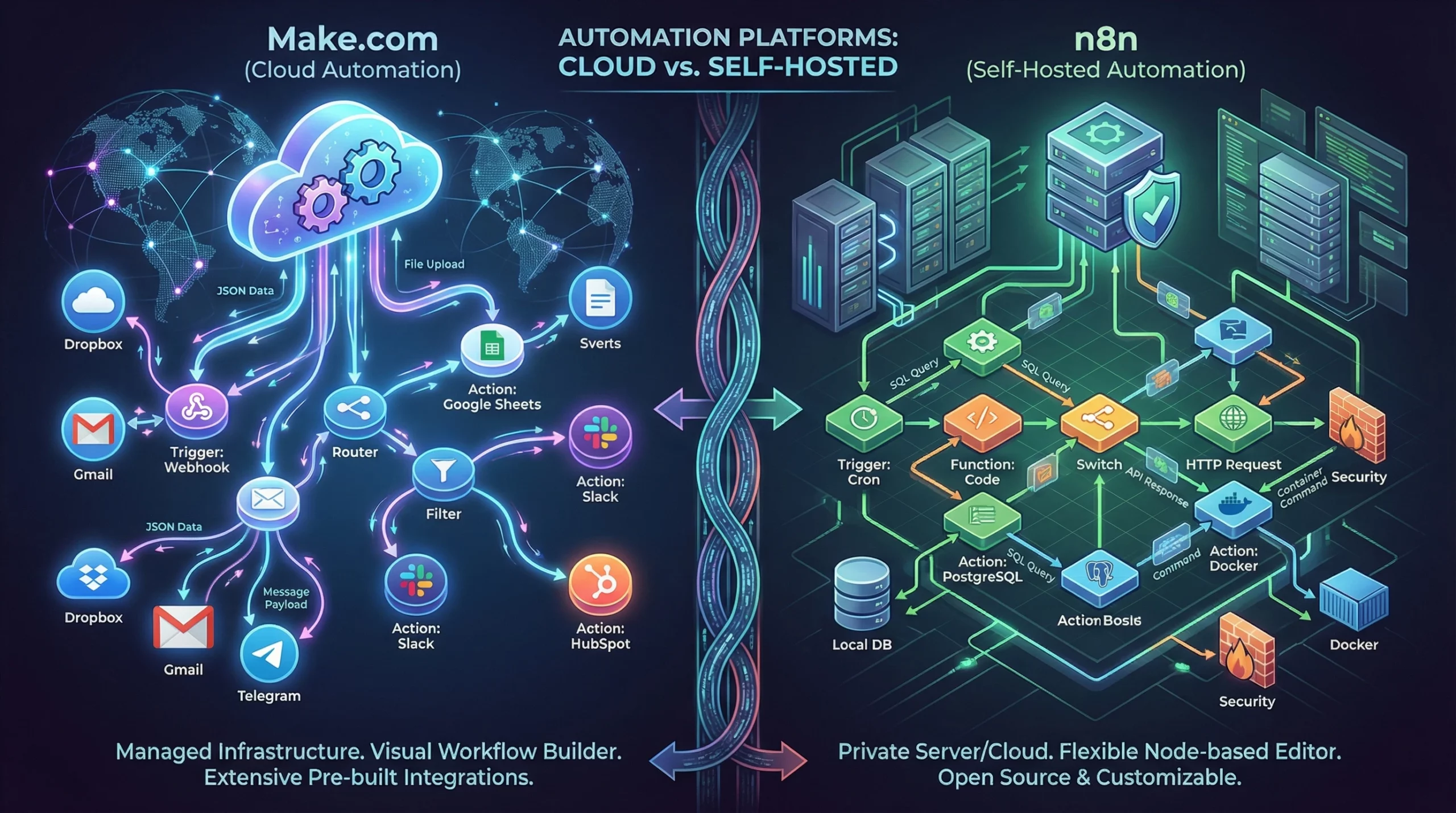
If you run a small business or side project and want to work smarter, automation tools like Make.com and n8n can help you get a lot done without hiring extra help. Both tools allow you to connect your apps and automate routine tasks, but each brings a different experience to the table. If you’re wondering whether you should learn n8n or Make, or if they’re even the same thing, you’re in the right place. I’ve set up automations with both for my business and will break down the core differences, use cases, pricing, and what you can expect as a beginner or a more technical user. Whether you want to streamline your workflow, boost your productivity, or just free up your schedule, understanding the nuances between these two platforms can help you pick the best one for your needs.
Quick Verdict: Should You Use Make.com or n8n?
Make.com and n8n can both save you serious time by automating tasks like lead collection, order syncing, or sending notifications. The core difference is this: Make is a user-friendly, cloud platform that’s quick to set up, while n8n is an open source automation tool you can self-host and deeply customize.
- Choose Make if you want a visual way to connect apps with no code or server setup.
- Go with n8n if you care a lot about owning your data, want to host things yourself, or need lots of customization options and scripting.
From my experience, small business owners who want the simplest experience usually stick with Make. More technical users or those with privacy needs tend to lean toward n8n. Still, there are plenty of reasons you might want to get into both platforms, depending on your workflow.
What Is Make.com?
Make.com, formerly Integromat, is a platform where you set up automations through a visual editor right in your web browser. Each task or step in a workflow is represented by a bubble, and you link these bubbles together to build your automated process. The whole setup is online, so you don’t need to download or maintain anything on your own machines. I’ve used Make to automate everything from sending welcome emails to syncing spreadsheet updates, and the process always feels straightforward and accessible, even if you have no tech background. Make gives you a visual snapshot of your workflow, letting you spot where things might go wrong and making tweaks on the fly. Templates and active user communities offer even more support for beginners.
Who Is Make Best For?
- Small business owners who want to automate without coding.
- Teams that are new to automation like a drag-and-drop interface.
- Anyone who wants a quick setup and reliable cloud hosting, with no server management.
Pros and Cons of Make.com
Pros:
- Super easy to get started; no coding or hosting involved.
- Over 1,500 readymade integrations, covering the most popular business tools.
- Step-by-step visual workflow builder that’s perfect for beginners.
- Templates help you launch automations with just a few clicks, making setup a breeze.
- Very active forums and support for troubleshooting.
Cons:
- Operations are limited by your plan, so high-volume automations can get pricey.
- Custom scripting options are limited compared to n8n, which might be restrictive later on.
- Data is stored and processed in Make’s cloud. This might not sit well with those who have strict privacy needs.
What Is n8n?
n8n is a workflow automation tool that’s open source and built for those who want more control. You can install it on your own server or use their managed cloud version, and it lets you design automations using a visual editor. Unlike Make, n8n gives you direct access to things like custom JavaScript blocks, the ability to call APIs, manage databases, and more. I like using n8n when I have advanced automation needs or when I want to keep all my data within my own infrastructure. n8n has built a following among developers thanks to its flexibility and active development. Setup may take longer, but the customization options mean you can create workflows for almost anything you can imagine. It also shines if you want more transparency and ownership over how and where your data flows.
The “AI Agent” Revolution (v2.0) While Make is great for linear tasks, n8n has become the king of AI Agents in 2026. With the new v2.0 update, you can build “autonomous” bots that can reason, browse the web, and make decisions—with built-in “Human-in-the-loop” nodes to approve actions before they happen. If you are building AI employees, n8n is currently the superior choice.
Who Is n8n Best For?
- Developers or tech-savvy business owners who want deep customization.
- Companies with tighter data privacy requirements.
- Businesses that need to run high-volume automations without paying for each operation.
Pros and Cons of n8n
Pros:
- You can host it yourself for free, which is great for privacy and unlimited usage.
- Scripting support and custom logic with JavaScript lets power users build complex flows.
- Modular nodes for APIs, databases, error handling, and more—giving you flexibility as you build out your automations.
- Supports a wide range of integrations and unique use cases. Great for edge cases where prebuilt connectors might not exist.
- With an open source platform and a growing community, new features and integrations come out quickly.
Cons:
- The setup takes more time and technical know-how, especially if self-hosting.
- Fewer plug-and-play templates compared to Make means more manual setup for most workflows.
- The interface feels technical, which can be intimidating for beginners.
- Documentation is improving, but it may be challenging to track down solutions for advanced problems without experience or community help.
Key Differences: Make.com vs. n8n
- Ease of Use
Make.com: Everything is done in your browser with easy drag and drop bubbles. It’s made for nontechnical folks, and I found the learning curve gentle compared to other tools.
n8n: The setup involves more steps. If you self-host, you’ll need to deal with Docker or server setup. The interface is logical but assumes some tech background. That said, once you’re comfortable, n8n becomes a playground for creative solutions. - Customization
Make.com: Has tons of built-in functions and filters, but limited options for deep custom scripting.
n8n: Let me write full JavaScript functions and chain multiple API calls together with lots of control. If you know a bit of code, the power is unmatched. - Data Privacy & Hosting
Make.com: Runs in the cloud and stores your automation data on their servers.
n8n: You can run it on your own servers, which is really important if you want ownership or control over sensitive information. - Integrations
Make.com: Over 1,500 prebuilt integrations for things like Gmail, Slack, Shopify, and more.
n8n: Hundreds of integrations (the number keeps growing) plus the ability to build your own connectors more easily using HTTP Request nodes and code. - Cost Structure
Make.com: Free for basic use. Paid plans start at about $9/month. But charges grow as your automations get busier, since everything is priced by “operations.”
n8n: Selfhosted version is free no matter how much you use it. The cloud version starts at around $20/month for managed hosting and support.
While both Make and n8n enable automation, your decision will likely depend on your appetite for hands-on setup versus your need for plug-and-play simplicity, along with your comfort with code, privacy concerns, and the scale you need.
Detailed Feature Comparison: Where Each Tool Excels
- Visual Editor: Make’s interface is more approachable if you just want fast results. n8n’s visual editor is built for more complicated branching and power user features, letting you create more advanced workflows if you’re willing to invest the time.
- Error Handling: Make offers built-in error handlers and autoretries, but sticks to simple recovery paths. n8n supports trycatch blocks, advanced branching, and more customization if things break along the way.
- Scalability: Makes subscription tiers and operation counts limit high-frequency workflows. In n8n (if self-hosted), you choose your own server resources, so large volume use is an option if you have the need and infrastructure.
- Team Collaboration: Make lets you add teammates and share scenarios easily. n8n’s collaboration features are catching up, but setting up permissions requires more effort. This might be critical if your workflows involve multiple team members who need access control.
- Error Notifications: Both send error alerts, but n8n gives more granular control so you can set up specific alerts for critical automations.
- Custom Coding: n8n’s JavaScript support lets you inject logic anywhere in your workflow, which is a huge win if you want to get creative or solve edge cases.
- Templates and Community Sharing: Make’s large template library and helpful forums make it easy to pick up premade workflows. n8n, while still growing, now has sharing features and templates too; the community is quite active in posting unique solutions for tricky needs.
Both platforms are continuously evolving. Whether you value simplicity or total freedom, there’s an option for your specific requirements.
Answering Common Questions About n8n and Make
Should I learn n8n or Make?
If you’re just starting out and want fast, visual results, learning Make is easier and will get you up and running sooner. If you enjoy digging deeper or want more power and control, n8n is the way to go. I recommend Make for nontechnical teams and n8n for anyone comfortable tinkering or writing scripts. If you’re unsure, experiment with both for a week and see which matches your workflow style best.
Is Make the same as n8n?
Make and n8n aim for similar goals: automating tasks across different apps. However, how they do it is quite different. I see Make as a managed, plug-and-play online tool, while n8n feels more like a builder’s playground—especially when self-hosted—where you can customize everything to fit niche needs or strict privacy standards.
Which is better, n8n or Make?
Neither is simply better; it depends on what you need. Make stands out for pure ease and speed. n8n takes the crown if you need self-hosting or complex custom workflows. In my business, I use both: Make for quick, reliable automations and n8n when privacy or advanced logic matter more. Sometimes your choice will depend on budget, team skillset, and project requirements.
Which is easier to learn, n8n or Make?
Make is clearly easier to learn for most people. Its templates, premade integrations, and logic options are simple to understand. n8n isn’t difficult for those familiar with tech, but its flexibility means there’s more to learn, especially if you want to get creative with custom logic or hosting. If you pick things up quickly and enjoy a challenge, n8n’s extra features can pay off.
Pricing and Value: Side-by-Side
| Make.com | n8n | |
|---|---|---|
| Free Plan | Yes, with monthly operation limits | Yes, selfhosted unlimited (cloud version has limits) |
| Starter Paid Plan | $9/month, limited by operations | $20/month (cloud), selfhosted is always free |
| Extra Usage Fees | Yes, as you scale | No (if selfhosted) |
For me, Make can be really affordable for small, simple automations. But if I need to run thousands of workflows without worrying about cost, hosting n8n myself is the winner. It’s especially valuable if your business handles a lot of data, and you want to keep recurring costs low. Take into account your familiarity with server setup before choosing selfhosting, as that process brings its own learning curve but pays off in unlimited usage.
⚠️ 2026 Update: No More Wasted Credits As of late 2025, Make.com finally fixed its biggest flaw. They introduced Rollover Operations on paid plans, meaning your unused credits now carry over to the next month. This is a massive upgrade for seasonal businesses and makes the “Core” plan ($29/mo) much more valuable than before.
Real-World Use Cases for Small Business
- Make.com: Great for quick automations like posting sales updates to Slack, syncing new Shopify orders to Google Sheets, or creating CRM contacts. Most small business processes can be handled here with ready to use modules, and plenty of people use Make to automate everything from daily reports to social media scheduling, freeing up time for growth activities.
- n8n: Perfect for advanced automations, like handling custom webhooks, scheduling complex data transformations, or integrating APIs with authentication. I’ve used it for situations where I needed to connect to a lesserkown tool or create workflows unique to my business. Other businesses use n8n to integrate legacy software, create multiapp processes, or build data dashboards with custom logic you can’t match in most other tools.
Whether your business processes are simple or highly specialized, there’s a strong case for including one (or both) of these platforms in your toolkit. If you’re juggling a stack of apps already, automation will become your business’s silent engine.
User Reviews & Reputation
- Make: Often praised by small businesses and marketers for its friendly interface and fast launch. Some users mention hitting usage limits faster than expected, especially as their business grows. Make has a strong reputation for reliability and customer support as well.
- n8n: Loved by developers and privacy focused users because of its open nature and scripting power. Some users mention setup challenges and a steeper learning curve compared to Make, but the flexibility more than makes up for this once the system is running. n8n’s community is also quick to offer plugins and advice for tough use cases.
Choosing between Make and n8n depends a lot on your background and needs. For people who want to get automations running with little technical effort, Make shines. For those who enjoy more control or want something to grow with, n8n is a strong pick. Some businesses choose to mix both—using Make for everyday workflows, and n8n to handle edge cases or privacy critical automations.
Which Should You Choose for Your Small Business?
Both Make.com and n8n can save time and give a boost to efficiency, but they fit different skill sets and business needs.
- Choose Make if you:
- Want a visual, drag-and-drop editor for noncoders.
- Need quick, reliable automations with plenty of prebuilt app connectors.
- Don’t want to deal with servers or technical setup.
- Prefer a tool that’s easy to hand off to teammates and doesn’t require ongoing server maintenance.
- Choose n8n if you:
- Prefer owning your automation infrastructure (self-hosting gives you total control).
- Want the freedom to write code or manage APIs directly inside your flows.
- Have strict requirements around data privacy, compliance, or custom logic.
- Enjoy experimenting and want a tool that will scale as your technical needs grow.
I’ve gotten great results from both tools in different scenarios. If you’re still not sure, I recommend starting with Make for simpler needs, then exploring n8n as your workflows become more advanced or if you run into limitations in Make. Use both creatively. Many businesses eventually find a blend of both tools that handles everything from the simple to the complex with ease.
Which automation tool do you think suits your small business best? Feel free to share your experience in the comments below and let other readers know what worked for you. Whether you pick Make, n8n, or both, stepping into automation is the first step to freeing up your time and making your workflow smooth and efficient. Good luck automating your next big project!
Great comparison! I’m leaning toward Make for simplicity, but n8n looks powerful for customization. Curious what others chose and why.
What has been the biggest challenge preventing you from using automation tools so far — cost, learning curve, fear of making mistakes, or concerns about data privacy? And which platform do you think would make it easier for you to finally start automating?
Thanks, Monica! You hit the nail on the head. Make is generally more visual and user-friendly for non-developers, which makes it perfect for quick marketing workflows. However, n8n’s self-hosting capability is unbeatable if data privacy and cost-scaling are your top priorities. Let me know which one you end up choosing for your first project!
As a beginner who just spent the weekend trying to automate a simple “Email-to-Sheets” workflow, reading this SmartFlowsLab breakdown felt like finding a map in a dark forest.
Coming from zero experience, the choice between Make and n8n isn’t just about “features”; It’s about how much I’m willing to pull my hair out on a Tuesday night. LOL
I feel your pain! Spending a whole weekend on a ‘simple’ task is exactly why I started looking into these tools. Since you are just starting, I suggest grabbing one of Make’s pre-built templates for that specific task. It often solves 90% of the headache instantly. Don’t give up—once that first flow works, it feels like magic!
This was a clear and practical comparison Thank you for laying out the strengths of both Make and n8n in a way that feels easy to follow, especially for small business owners who may be new to automation tools. I appreciate how you highlighted not just features, but real use-case differences like scalability, ease of use, and pricing transparency. It’s refreshing to see an evaluation that doesn’t just pick a side, but helps readers understand why one tool might fit their specific needs better than the other.
Given how both platforms continue to evolve, I’m curious — what’s one specific scenario or task you think clearly favors Make over n8n, and vice versa?
Hi Jennifer! That is the million-dollar question. Here is the specific split I usually tell clients:
Choose Make if you need to connect standard apps quickly (e.g., ‘When a Shopify order comes in, add it to Google Sheets and Slack’). The visual builder is unbeatable for that.
Choose n8n if you are dealing with high volume or complex data handling (e.g., ‘Loop through a 10,000-row CSV file and clean the data’). Make charges per ‘operation,’ so that loop would get expensive fast, whereas n8n handles that heavy lifting much more affordably (especially if self-hosted). Great question!