
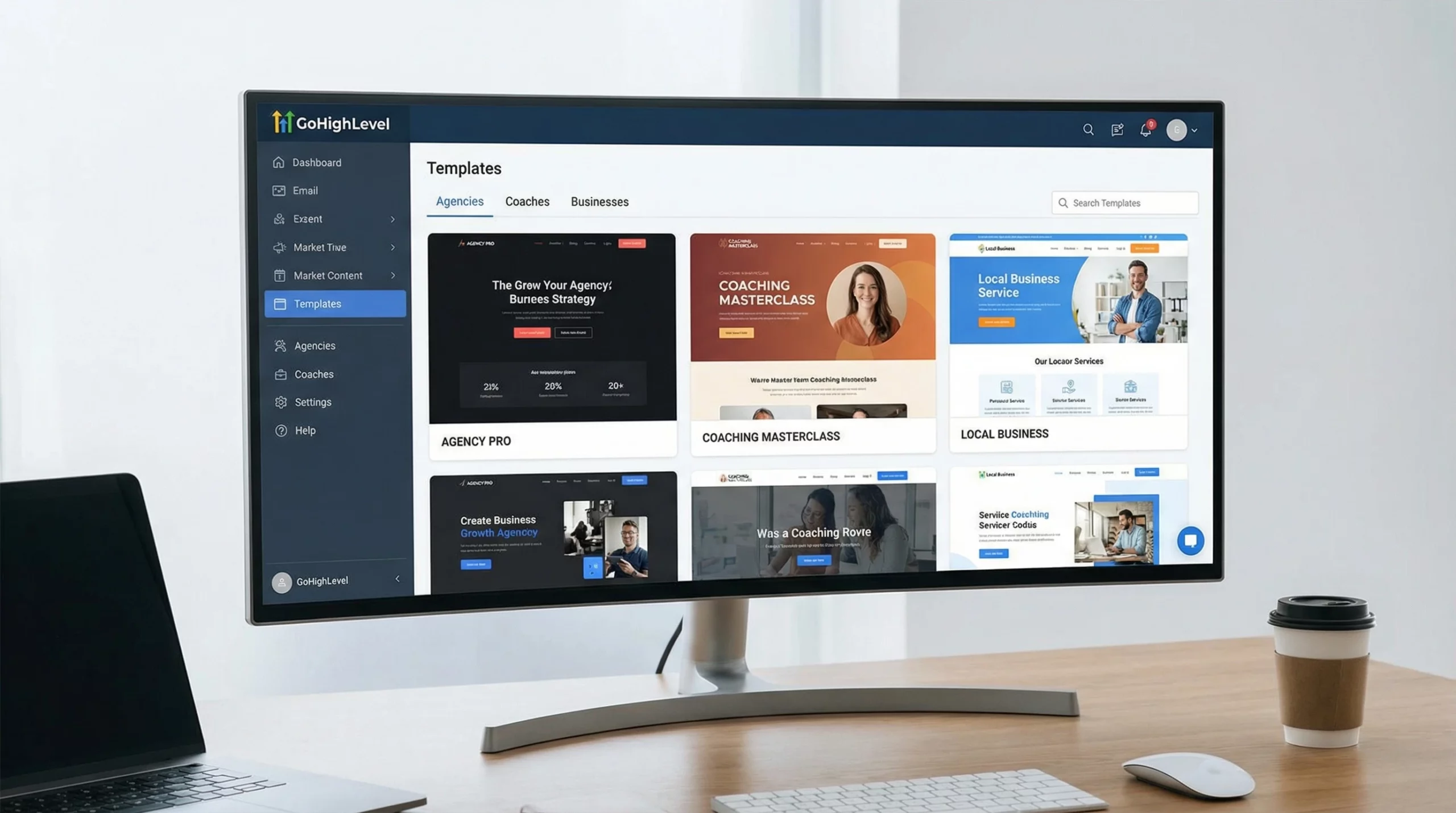
Building a standout website in 2026 is so much faster when I use the Best GoHighLevel website templates. Templates offer a readymade structure, so I’m not starting from scratch every time. With the right template, I can launch client projects, agency sites, or lead generation pages a lot quicker—saving hours that I’d otherwise spend on design and layout.
The GoHighLevel platform supports businesses, marketers, agencies, and freelancers by offering an allinone solution for funnels, automations, and website creation. Whether I want a highly customizable template or something quick and simple, GoHighLevel’s mix of free and premium templates fits the bill. I’ve used both their builtin library and thirdparty sources to find designs fit for almost any niche or project.
This guide covers where to track down the best GoHighLevel website templates, how to use the builtin library, clear examples for inspiration, the difference between funnel and website templates, and tips for getting the most out of the GoHighLevel website builder.
Why Use GoHighLevel Website Templates?
GoHighLevel website templates speed up my workflow and cut down setup time. Instead of building every page element from scratch, I pick a design that fits my brand, swap in my content, and launch. This not only reduces the time spent designing but often leads to a more polished result compared to building freehand. Templates also help keep all the pages on my site consistent, which is really important for branding and visitor trust.
Using a strong template also helps me avoid design headaches. Pages are already optimized for devices and look great on both desktop and mobile. Whether I’m working solo or with a team, starting with a template sets the project up for easier edits, faster approvals, and a smoother launch.
The Best Free & Premium GoHighLevel Website Templates for 2026
When I’m choosing a GoHighLevel website template, I look for a mix of looks, features, and flexibility. Some templates are built into the platform, while others come from toprated sellers who specialize in GoHighLevel designs. Here are a few categories and specific examples that stood out for this year:
- Agency Website Templates – These are made for marketing firms, digital agencies, and consultants. Popular options include the GoHighLevel “Agency Starter” and custom premium sets from sellers like GHL Experts Marketplace.
- Local Business Templates – Restaurants, gyms, auto repair shops, and salons can use free GoHighLevel library templates like “Local Service Pro” or upgrade to premium storefront designs on ThemeForest or GoHighLevel Facebook groups.
- Coaching and Consulting Templates – If I’m working with coaches or business consultants, the “Coaching Pro” template from GoHighLevel or premium options from HighLevel Themes work well for booking, testimonials, and upsells.
- Ecommerce & Online Stores – GoHighLevel’s platform isn’t a dedicated ecommerce tool, but the “Simple Shop” template (free) and several premium layouts (with Shopify Lite or Stripe integration) still let me add featured products or ministores as part of a bigger marketing funnel.
- Course Creator & Membership Templates – The “Course Portal” template inside GoHighLevel and premium themes like “Membership Accelerator” fit online educators, membership groups, and community managers.
Every template can be customized with my logo, brand colors, and photos, so even a popular base design will feel unique with a few tweaks. If you’re looking for something that truly matches your vision, many designers offer customization services to give your site that nextlevel cool flair.
Where to Find GoHighLevel Website Templates Free Download
I’ve found free GoHighLevel website templates directly in the main dashboard. Just sign in, open the site builder, and browse the builtin Template Library. Here’s what I do:
- I go to “Sites” in my GoHighLevel dashboard and click on “Templates.”
- I pick “Website Templates” from the menu. There’s a variety of free designs for agencies, local businesses, and landing pages.
- I preview the template before adding it, so I know exactly what it will look like once I start editing.
For even more options, I check out the GoHighLevel Facebook community and Creator Marketplace. Users there often share free templates for different industries. Just doublecheck any shared links or files for safety before using them. Premium downloads are found on places like ThemeForest, Creative Market, or by working with specialized GoHighLevel designers on Fiverr or Upwork. These premium templates often offer more advanced features, unique layouts, and professional graphics. They always come with installation instructions that make setup easy, even if I haven’t used a template from a third party before.
Besides these sources, many template creators offer bundles or seasonal packs that let you try out different styles and feature updates throughout the year. Staying active in the GoHighLevel user forums or social groups helps me spot newly released templates and nab exclusive deals.
How to Use the GoHighLevel Template Library
I find the GoHighLevel Template Library next to the main site builder area. Here’s my stepbystep routine for getting started with a new template:
- Open “Sites” in my GoHighLevel dashboard.
- Select “Templates” and then click on “Browse Library.”
- Pick the category. Like websites, funnels, or membership—and scroll through the thumbnails to find a style I like.
- Click “Preview” for a full demo. This lets me see desktop and mobile views so there are no surprises.
- Click “Add” to let GoHighLevel copy all the template pages to my site area. From there, I edit text, images, and links using the drag and drop builder.
- When I’m happy with the changes, I publish the site to my connected domain or subdomain.
This routine keeps things organized and lets me test different templates on a demo site without affecting my main live site. If I want to try several templates, the library lets me swap or duplicate pages fast, so my team and I can compare designs sideside.
One extra tip: if you’re experimenting with advanced features, save a template copy you can revert to. This makes design experiments a lot less stressful!
GoHighLevel Website Examples for Inspiration
It helps to see what’s possible before picking a template. I’ve worked on, or viewed, GoHighLevel websites for niches like:
- Fitness Coach Website: Clean header, lead magnet signup, and onpage appointment booking.
- Marketing Agency Site: Portfolio gallery, testimonial slider, team bios, and link to integrated proposal funnel.
- Legal Services Firm: Professional homepage, detailed service pages, free consultation form, and secure document upload.
- Real Estate Agency: Home search bar, agent profiles, blog for neighborhood updates, and an interactive map plugin.
I’ve found more examples on the GoHighLevel Facebook group, YouTube channels that share walkthroughs, and on freelance designers’ portfolio sites. Looking at real projects gives me ideas on layouts, navigation, and the kinds of sections that help visitors convert. New sample sites pop up every month, so it’s worth keeping an eye out for the latest trends or standout ideas, especially as design styles change and fresh features appear.
GoHighLevel Funnel Templates vs Website Templates
GoHighLevel has templates for both websites and funnels. Website templates focus on full multipage sites. Think agency sites, service businesses, or portfolios. They offer home, about, contact, service, and resource pages in one package. The navigation menu connects all the pages, which works well for businesses that want to educate visitors, show their experience, and get leads over time.
Funnel templates are streamlined onepage (or short series) layouts, built to move a visitor quickly toward a single action, such as signups, bookings, or sales. Funnels skip extra info and instead use sections focused on benefits, trust, and a call to action. I use website templates for clients who want a traditional web presence, and funnel templates when the goal is immediate conversions.
If you’re not sure which you need, consider the end goal: do you want to build a brand hub that covers everything, or focus all attention on one main offer for high conversions?
Does GoHighLevel Have a Built-In Website Builder?
GoHighLevel does come with a builtin website builder. It uses an easy drag and drop system that lets me add, move, or remove sections without knowing any code. I adjust layouts, images, text, and colors directly on the page. All GoHighLevel templates are fully compatible with this builder, so I can edit everything once the site is loaded into my workspace.
This means quick changes and visual updates happen without hiring a developer. I just save, publish, and everything updates across my live site instantly. Mobile previews show me how my edits look on different devices, which is super important for user experience.
The website builder also supports embedding custom scripts, integrating booking tools, and layering in dynamic elements like testimonials or popups—all from the same interface. It’s made to make things easy for users at any skill level, letting entrepreneurs, marketers, and agency owners launch their web presence with confidence.
My Best Tips for Using GoHighLevel Website Templates
1. Always make a backup before testing new designs or adding code.
2. Replace stock images with real visuals from your business or brand.
3. Tweak the fonts and color scheme for a more unique look.
4. Use GoHighLevel’s integrations, such as forms, calendars, and chat widgets, to keep visitors engaged.
5. Keep the navigation simple and easy to follow. Too many links can confuse visitors.
6. Regularly check your site analytics to track down which pages perform best and make data-backed improvements.
7. Use calltoaction buttons that stand out so your visitors are more likely to take the next step.
8. Test your website on both desktop and mobile, ensuring all sections are responsive and userfriendly.
Updating your content regularly, collecting feedback from users, and exploring new templates each year will help your site stay fresh, modern, and effective. As GoHighLevel’s library continues to grow fast, you’ll always have new tools to keep your online presence ahead of the curve.
Wrapping up, GoHighLevel website templates are a smart way to speed things up, lock in a professional look, and simplify the website building experience. With so many free and premium options, it’s easy to find a design that fits your brand—just jump in and see where your creativity takes you!
GoHighLevel website templates are a huge time-saver, especially for busy marketers and agency owners. They make it easy to launch professional-looking sites quickly without needing design or coding skills. Plus, having both free and premium options means there’s something for every budget and project.
What type of template do you prefer using more, website templates for full sites or funnel templates for quick conversions, and why?
Thanks for the comment, Monica! I actually prefer Full Website Templates because I like having that complete ‘ecosystem’ set up right from the start (Home, About, Services, etc.). It feels like a more permanent asset for a business. But I totally agree—the speed of launching a funnel template is unbeatable when you just need to test an offer quickly!
This is helpful, but I’m always a bit cautious with template-driven platforms like this.
My question would be: how much flexibility do you really have once you start customizing these templates, and at what point do you feel “boxed in” by the builder compared to using something like WordPress or a fully custom site?
That is the exact trade-off you make. The honest answer: You feel ‘boxed in’ the moment you need complex logic or deep CSS animations. GoHighLevel allows for Custom CSS and JavaScript, so you can hack it, but unlike WordPress where you have full access to the source code/PHP, here you are playing in their sandbox. If you need a standard high-converting site, it’s 10/10. If you need a unique, award-winning design experience, stick with Webflow or WordPress.
This was a really helpful breakdown, especially the comparison between funnel templates and full website templates ???? I’m curious, when you’re choosing between a free template in the GoHighLevel library and a premium one from a marketplace, what specific features usually justify the upgrade in your experience? Also, have you noticed that certain GoHighLevel website templates perform better for lead generation or client conversions in particular niches, such as agencies versus local service businesses? ????