
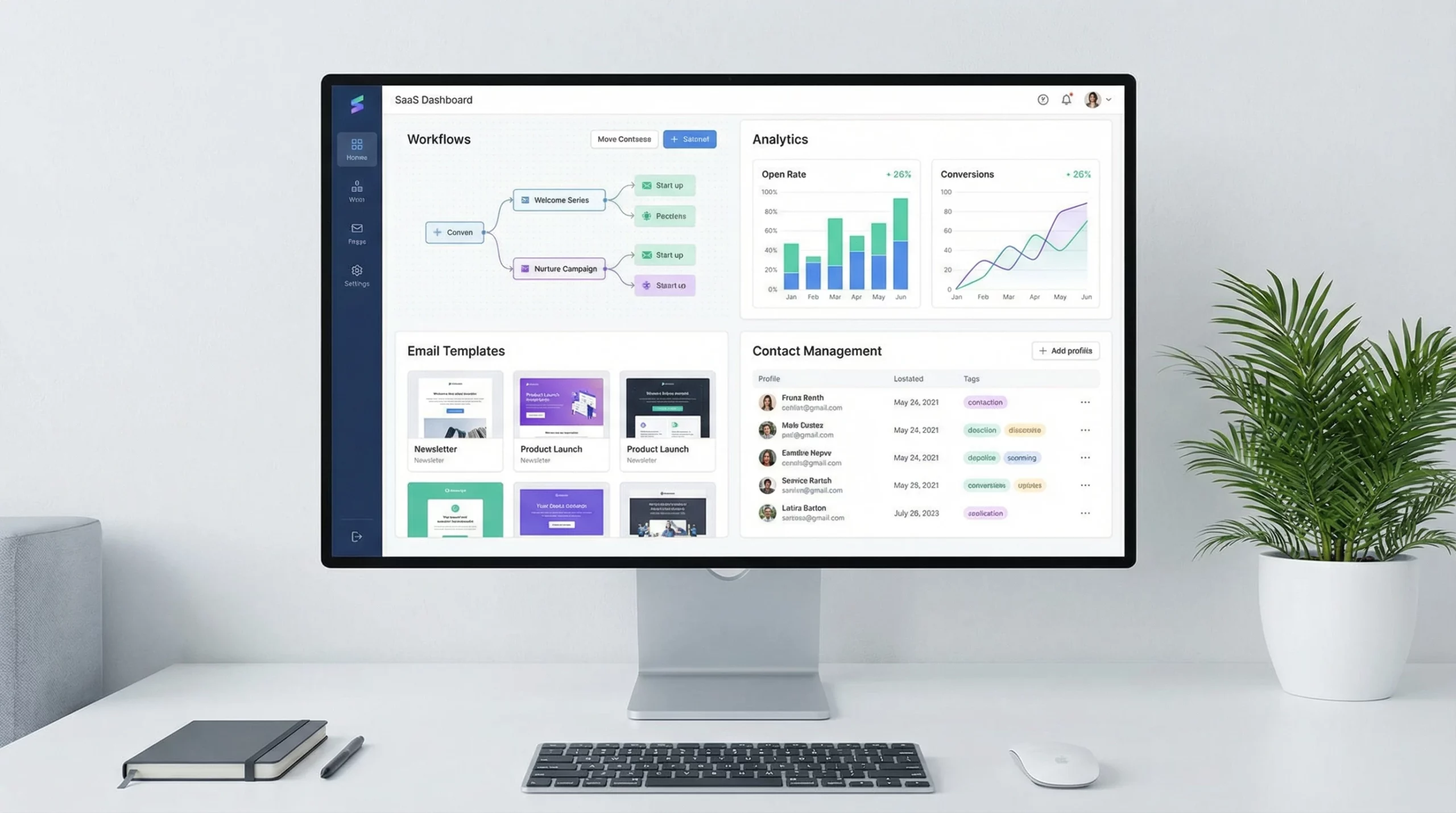
In this detailed ActiveCampaign Review, we look at why this powerful platform is the top choice for businesses wanting to streamline their marketing and sales. Founded in 2003, ActiveCampaign has grown into a trusted tool used by over 180,000 businesses worldwide, from small startups to large enterprises, all aiming to connect better with their customers and grow sustainably. The company currently boasts a solid 4.6-star rating on trusted review sites such as Capterra and G2. This is clear proof of its reliability and widespread appeal among business owners and marketers.
In this ActiveCampaign review, I am sharing a clear overview of my thoughts, including my own ratings and direct experiences. So, let’s now have a look at the features I think you’ll really like and give you a super detailed rundown.
Company Name: ActiveCampaign
Website URL: ActiveCampaign.com
Price: Free plan available, paid plans start at $15/month (Plus, Professional, and Enterprise tiers)
Founder: Jason VandeBoom
Community: Over 180,000 businesses globally
Overall Rating: 4.7/5
G2 Consumer Rating: 4.6/5
Marketing Automation: 5/5
CRM Features: 4.5/5
Email Deliverability: 4.7/5
Integrations: 5/5
Support: 4.6/5
Free Trial: YES. Get started here (no credit card required).
What stands out for me about ActiveCampaign is how it bundles advanced automation with email marketing, a full CRM, and hundreds of integrations. You get everything you need to run modern marketing campaigns and sales workflows all from a single platform. For someone wanting to avoid managing multiple tools, this efficiency makes a big difference to daily productivity and long-term results.
Even if you don’t have previous experience with marketing automation, you can set up meaningful automation, emails, and integrations thanks to a well-designed user interface and plenty of in-app guidance. I’ve worked with both tiny teams and larger organizations that all found real value, no matter their level of in-house tech expertise.
About ActiveCampaign’s Founder & Company Story
ActiveCampaign was started by Jason VandeBoom in 2003. Jason’s vision was always to build tools that help businesses create genuine connections with their contacts and customers through smart automation. He has a background in software development and marketing, so his approach is both userfriendly and highly functional.
The company has since expanded massively, opening offices in Chicago, Sydney, Dublin, and in other locations to serve a truly global audience. The team is now made up of hundreds of people, all focused on customer success. From what I’ve seen, they are super responsive to user suggestions and often roll out updates based on direct feedback.
ActiveCampaign keeps customer needs central to decision-making. Feature requests, bug fixes, and usability changes all move at a quick pace. The company regularly publishes what’s coming soon on their website, making it easy to trust that ActiveCampaign is always growing to match the changing needs of marketers and business owners.
You can always reach out to their support through live chat, email, or their active Facebook community. I’ve found the staff helpful whenever I had questions that needed real answers, not just scripted replies from a generic help desk.
ActiveCampaign’s Approach to Marketing Automation
As someone who’s checked out several marketing platforms, I’m continually impressed by how accessible yet powerful ActiveCampaign’s automation is. You can build simple welcome emails or design sophisticated multichannel campaigns that personalize every message based on user behavior.
The visual automation builder is drag and drop. It’s easy to create anything from a quick autoresponder to a complex multi-step workflow. For example, I often set up sequences that send follow-up messages after a specific action, like someone clicking a product link or submitting a form. You can layer in logic, such as sending different content to people depending on their interests or which emails they’ve opened.
ActiveCampaign also provides templates for common automations, like abandoned cart reminders or post-purchase follow-ups. These saved me a ton of setup time when I needed to launch campaigns quickly for new products or special events.
What I found especially helpful:
- Drag and drop workflow builder that takes minutes to get the hang of
- Conditional logic to personalize campaigns for each contact
- Triggered messaging by website activity, email engagement, or even direct integrations with apps
- Automation maps to organize and visualize even large campaigns
- Automation “goals” for tracking contact progress toward specific outcomes
If your goal is to do more with less, ActiveCampaign automations really help. For small teams, automating onboarding and nurturing sequences frees up hours every week. For larger organizations, being able to manage lots of user segments, apply tags based on actions, and score leads becomes incredibly practical at scale.
Built-in CRM: How ActiveCampaign Handles Sales and Pipelines
Some people only know ActiveCampaign for email marketing, but its CRM tools are just as valuable, especially if you want to match up your sales and marketing processes. I use the CRM daily for tracking leads, managing deals, and triggering tasks for follow-up. It’s simple to adapt the pipelines to fit everything from a basic sales funnel to a more complex service delivery workflow.
Key CRM features I rely on:
- Customizable deal pipelines for tracking stages from lead to customer
- Automatic lead scoring using contact behavior and custom rules
- Task creation that reminds me to follow up with certain contacts
- Detailed contact records that log every email, call, and message
- Easy assignment of deals to sales reps or support team members
Having emails, support interactions, and sales notes all in one place speeds things up and means I don’t waste time toggling between tools or trying to remember where a conversation left off. If your team is new to CRM systems, you can start simple and gradually expand as you get comfortable.
For those interested, ActiveCampaign is not a “full” enterprise CRM like Salesforce, but for most small and midsize businesses, the built-in CRM provides just what you need for most customer management tasks.
Email Marketing: Easy Design, Reliable Deliverability
Email marketing is the core that many people look for, and ActiveCampaign delivers in all the important ways. The drag and drop email designer makes it easy to create beautiful emails that look consistent on all devices. Templates mean you don’t waste hours starting from scratch, and you can save your own brand styles to keep everything on point.
Deliverability is a really important detail. I keep an eye on open and click rates closely, and emails sent through ActiveCampaign consistently land in the primary inbox for both my own campaigns and those I manage for others. Their infrastructure and regular sender advice really help keep me out of spam folders.
What I use and appreciate:
- Personalized emails using contact fields (names, custom details, interests)
- Dynamic content blocks that change based on recipient behavior or segmentation
- Advanced scheduling and send time optimization
- A/B testing for subject lines and content
- Super detailed reporting and actionable analytics
The integration between email, CRM, and automation saves a ton of time. If you want to welcome new leads, reward loyal customers, or send out targeted promotions, you’ll find the tools you need all in one place.
Experience Setting Up with ActiveCampaign: Onboarding and Ease of Use
Getting started with ActiveCampaign was straightforward for me, even though I didn’t have a background in marketing automation when I first signed up. The onboarding process gives you step-by-step instructions, and there’s a library of guides and video walkthroughs for anything you want to dig into further.
What helped me get up and running:
- Interactive setup wizard for importing contacts and connecting my website
- Plenty of prebuilt automations and email templates to customize
- Helpful tooltips and suggestions in the user interface
- Live chat support when I hit a sticking point
New users can expect to send their first campaign or set up a basic automation the same day they sign up. As your needs grow and become more complex, the platform scales with you, offering more advanced triggers, integrations, and reporting when you’re ready for the next step.
If you’re still learning what marketing automation can do, the onboarding is forgiving and doesn’t shove you into the deep end right away. It lets you map out workflows at your pace and gives prompts to help you keep improving.
Core Features That Stand Out in ActiveCampaign Review
ActiveCampaign covers all the basics an email marketing platform should, but it also comes with a ton of features that make daily life easier and more productive.
- Site Tracking: Once the tracking code is added to your website, ActiveCampaign can monitor every page a contact visits. I use this to trigger campaigns based on which services or products people are interested in.
- Lead Scoring: The platform automatically scores leads based on website interactions, email engagement, or custom actions. This makes it simple to see who is most likely to buy.
- Messaging and Conversations: With the Conversations addon, you can chat live with website visitors and have those messages pulled automatically into the contact’s record, giving you a full picture of every relationship.
- Landing Page Builder: The platform includes an easy landing page editor for creating optins and lead magnets. I connected mine right to automations, so signups get immediate followups.
- Tagging and Segmentation: Tags let you organize your contacts by interest, behavior, or anything else you want. I use them to send more targeted campaigns and improve open rates.
The mix of marketing, sales, and support tools in a single workspace is the biggest reason I recommend ActiveCampaign for people who want an all-in-one system with room to grow.
Real-Life Benefits: How ActiveCampaign Helps My Business
I use ActiveCampaign for a combination of routine sales email campaigns, event notifications, and nurturing customer relationships. The benefit to having automation, a CRM, and email marketing working in sync is huge. Here are key results from my experience:
- Time Saved: I spend less time doing repetitive email sends since automations handle everything from reminders to post-sale notes.
- Higher Engagement: Segmenting contacts and personalizing content led to more opens, more clicks, and fewer unsubscribes.
- Sales Tracking: Being able to see exactly where a lead is in the sales process means I don’t lose opportunities, or forget a follow-up.
- Clear Analytics: I get reports on everything I care about, including ROI for specific automations, channel performance, and which messages are hitting home.
The deeper I got into using tags, lead scoring, and custom automations, the more sophisticated my campaigns became without extra manual work. This freed me up to focus on new strategies rather than spending time dealing with data or logistics.
ActiveCampaign Integrations: Connecting All Your Tools
ActiveCampaign offers over 900 integrations at this point. This means almost any software you already rely on—Shopify, Salesforce, WordPress, and many more—can talk to ActiveCampaign. I use integrations with Zapier to connect web forms, ecommerce, and webinar tools, creating seamless workflows that save a ton of back-and-forth or copying and pasting data.
Some integrations I rely on:
- Shopify: For syncing customer purchase data straight into the CRM
- WordPress: To embed forms and track website visits
- Zapier: To send data between ActiveCampaign and dozens of other tools
- Facebook Custom Audiences: To retarget email subscribers on Facebook
- Calendly: For meeting scheduling and follow-up automations
The open API means even if something isn’t on the app list, you or a developer can build custom connections. ActiveCampaign’s integration directory is easy to search and gives clear instructions for setting up most major platforms.
ActiveCampaign Support and Community Resources
Whenever I hit a wall with something new or need ideas, I’ve found ActiveCampaign’s support team helpful and quick to respond. They offer live chat, email, and phone support on paid plans, and there’s a growing user community on Facebook and Reddit where fellow users share advice and answer questions.
Some resources I keep bookmarked:
- ActiveCampaign Help Center with step-by-step guides
- Weekly live webinars and Q&A sessions
- Video tutorials for visual learners
- Official user community and support forums
For issues that required more technical help, I’ve had responses from the support team within a business day, and fixes usually came fast. The company’s resources made it possible for me to keep learning and improving without waiting for someone else to sort out my problems.
Who Can Get the Most Out of ActiveCampaign?
ActiveCampaign is a great fit for anyone wanting to boost marketing efficiency and customer follow-up, but it’s especially good for:
- Small and midsize businesses who want one tool for marketing, sales, and customer support
- Ecommerce stores needing to automate product recommendations, cart reminders, and review requests
- Agencies managing multiple clients and campaigns from a single dashboard
- Coaches, consultants, and service providers who rely on keeping in touch with leads and clients
- Membership sites and online courses wanting personalized content delivery and reminders
Even individual solopreneurs find the free and entry level plans helpful for growing their lists without a huge investment or steep learning curve. As your needs expand, you can give a boost to your plan and unlock more features without having to move platforms.
ActiveCampaign Free Plan: What’s Included?
The free plan gives a feel for what the system can do without any up front risk. Here’s a quick look at what you get at no cost:
- Up to 100 contacts and basic email sending
- Access to email templates
- One automation workflow
- Basic reporting and analytics
- Forms and basic site tracking
For trying out email creation, contact importing, and simple campaigns, the free plan is a solid place to start. You won’t get access to advanced automations or CRM features, but you get enough to check if ActiveCampaign fits your workflow. Upgrading unlocks more contacts, custom branding, automations, and integrations.
ActiveCampaign Alternatives (and How They Stack Up)
I’ve checked out and compared several of the main competitors, so I can honestly say how ActiveCampaign compares:
Mailchimp vs ActiveCampaign
Mailchimp is one of the best known email tools, but when it comes to automation, CRM features, and advanced targeting, ActiveCampaign pulls ahead. If you only need to send basic newsletters, Mailchimp might be all you need. But for sales automations, ecommerce workflows, and better segmentation, I found ActiveCampaign more flexible and ready for growth.
ActiveCampaign vs HubSpot
HubSpot offers a similar all-in-one suite but is often much more expensive as your contact list grows. HubSpot includes free versions of its sales and service tools, but automation and advanced reporting are only available on higher paid tiers. For businesses that want a middle ground between cost, features, and support, ActiveCampaign offers more at a lower price point for most use cases.
Other Notable Alternatives
- Klaviyo – Excellent for ecommerce but comes at a higher price and a setup that’s more tailored to the Shopify/BigCommerce ecosystems
- ConvertKit – Well designed for creators, but less robust for sales or support automations
- GetResponse – A good balance of features and cost, but less straightforward for building complex automations
Careful research helps buyers make informed decisions, so I recommend making a list of your top priorities, then jumping into free trials on a couple of platforms before making a final decision. You’ll notice right away whether the interface fits your style and how quickly you can set up your first automated workflow.
ActiveCampaign Pricing and Plan Structure
ActiveCampaign offers multiple tiers designed to fit both budget and advanced needs. Plans are based on the number of contacts and feature sets. Here’s a quick breakdown (as of June 2024):
- Free: Up to 100 contacts and simple campaign tools
- Plus: Starts at $15/month. Adds CRM, advanced automations, integrations, and up to 1,000 contacts
- Professional: Starts at $70/month. Includes site messaging, split automations, predictive sending, and in-depth analytics
- Enterprise: Custom pricing. For larger businesses needing unlimited features, account management, and robust security/compliance
Add-on options are available for extra support, SMS messaging, and sales engagement tools. The pricing is generally competitive, especially compared to similar all-in-one systems from other vendors.
I suggest businesses estimate expected list growth for the next 12 months when picking a plan, as cost moves up with the number of active contacts.
ActiveCampaign Integrations: Making It Work With What You Already Have
Connecting your apps to ActiveCampaign is straightforward. Linking your whole marketing stack together means no more information silos, and you avoid manual entry and repetition. Here’s how I set up key integrations:
- Embedding signup forms on WordPress that instantly add contacts and apply tags
- Syncing Shopify order data so customer segments get unique followup emails
- Using Zapier flows to pull webinar signups into targeted nurture sequences
- Passing leads from Facebook Lead Ads into ActiveCampaign automatically
- Managing appointment bookings through Calendly that then start automations
Detailed integration guides and an open API mean businesses with IT teams can get even deeper, connecting ERPs, accounting tools, or custom workflows as needed. My experience has been that the directory and API documentation are easy to follow, so you don’t need advanced development skills to get started.
User Experience and Interface Design
The overall user interface is clean, modern, and logically organized. I routinely hear from colleagues and clients that switching to ActiveCampaign sped up their work simply because the navigation and layout make sense. Key actions are usually no more than a click or two from the main dashboard.
Some features I especially value for usability:
- Customizable dashboard widgets to track what matters to you
- Quick search for finding any contact, deal, or campaign instantly
- Mobile app for checking stats or reviewing contacts on the go
- Tutorials that pop up the first time you use a new feature
If you’re worried about a learning curve, the platform provides guided tours and quick access to support right in the application. New hires or team members usually pick things up fast, and centralized permissions let you control what each user can access.
Reporting & Analytics: Tracking Progress and Improving Over Time
Data and analytics are essential for measuring success. ActiveCampaign provides reporting dashboards for all major activities. Opens, clicks, conversions, pipeline status, and automation completion rates can all be tracked. I use reports not just to review what happened, but to spot trends and identify what can be improved for next time.
Key reports I rely on:
- Email campaign stats, with drill-down to individual contact activity
- Automation goal tracking (who completed a sequence, and who dropped off)
- Sales pipeline summary with deal stage forecasting
- Revenue attribution from email or automation sequences
- Site traffic and tracking to see which parts of my website attract the most engaged leads
Generating and adjusting reports takes just a few clicks. I often export campaign results to share with clients or use dashboards to review monthly performance with the team. The visual presentation makes it quick to compare what’s working versus what needs attention each month.
For teams that need more, ActiveCampaign allows for custom reporting in higher tier plans, letting you zero in on metrics that matter to your bookkeeping or leadership team. This helps you tie marketing spend directly to business results.
Deliverability and Data Privacy
Email deliverability is a huge factor in any email or CRM platform. My own open rates have improved compared to other systems, partly due to ActiveCampaign’s sender reputation, helpful advice for improving inbox placement, and tools for cleaning up inactive lists. Regular list cleaning and using double opt-ins as recommended has also helped lower bounce rates for me.
ActiveCampaign complies with all the main privacy standards (GDPR, CCPA), and is transparent about where data is stored and how it’s processed. You can find security documentation and data processing agreements on their site. For businesses working internationally or in regulated industries, this attention to privacy really matters and builds trust with your customers.
Tips for Getting More Out of ActiveCampaign
Over the years, I’ve picked up a few smart tips to help you make the most of ActiveCampaign:
- Use tags often to track not just interests, but behaviors and lifecycle stages
- Set up an email preference center, so customers can control what they get
- Automate more than just email—think SMS, tasks, deal moves, and reporting
- Connect forms and lead magnets right to automations for instant followup
- Segment lists using advanced filters to boost open rates and clicks
- Check reports regularly and switch things up based on what’s actually working
Whenever updates come out, review the changelog and try the new features. Even small tweaks can add value or make life easier within a week or two of use.
ActiveCampaign Review: Frequently Asked Questions
What is ActiveCampaign?
ActiveCampaign is a platform for marketing automation, email marketing, and sales CRM. It helps businesses grow their contact lists, automate their engagement, and build better customer relationships. From my experience, it is one of the most balanced and practical tools out there for both small and growing firms.
Is ActiveCampaign a CRM?
Yes, ActiveCampaign includes a built-in CRM that lets you manage deals, pipelines, and contact relationships. While it’s not as deep as an enterpriseonly CRM, it offers what most businesses need for sales and relationship management in one easy system.
What is better, Mailchimp or ActiveCampaign?
Mailchimp is good for basic email campaigns, but if you want deeper automation or an integrated CRM, I recommend ActiveCampaign. For simple newsletters, Mailchimp works well. For more advanced marketing and sales workflows, ActiveCampaign is the stronger choice based on my testing and regular use.
Is ActiveCampaign worth it?
If you want to streamline marketing campaigns, save time through automation, and boost engagement, ActiveCampaign is well worth considering. The platform pays for itself quickly by saving staff hours and delivering better, more personalized campaigns. The free trial means you can see what it does before making a long-term commitment.
Final Verdict: My ActiveCampaign Review
As someone who’s worked with marketing automation tools for years, I find ActiveCampaign strikes the right balance of power, usability, and value for money. It lets you grow from basic email marketing to advanced CRM and automation without switching platforms. The support, steady rollout of new features, and active user community make it easy to speak up for if you’re ready to do more with your list and customer relationships.
If you’re deciding whether to give it a try, my advice is to get started on the free plan and see how quickly you can launch your first automation or campaign. Most people I know who try it stick with it for the long run, thanks to all the hours and guesswork they save.
If you run into any questions or want to share your own experience, I’m always happy to help or point you toward useful resources as you test things out. Good luck with your marketing and automation ride!
Fantastic deep dive, this is one of the clearest, most practical breakdowns of ActiveCampaign I’ve read. You explain the features in a way that makes them feel usable, not overwhelming, which is huge for small teams just getting into automation. I especially liked how you tied automation, CRM, and email together with real examples instead of just listing tools. The sections on onboarding and integrations are super helpful too, because that’s where many platforms lose people. Your comparison with alternatives adds real value and shows you’re not just promoting one option blindly. The tips about tagging, lead scoring, and using behavior based automations are gold for improving results without extra workload. This feels like a guide someone could actually follow step by step. Definitely a strong resource for business owners who want smarter marketing without juggling ten different platforms every day.
Thank you so much for the kind feedback, Andrejs! That is exactly what I was aiming for—getting away from the ‘tool juggling’ nightmare. ActiveCampaign really shines when you use it as that central hub to connect everything else. I’m really glad the onboarding tips were helpful, too—that is usually the biggest hurdle for new users!
Hello!
This was a really clear and helpful read — ActiveCampaign can feel intimidating at first, but you explained it in a way that actually makes sense for real-life use. I love how you highlighted the automation and tagging features since those are what really set it apart, but also didn’t shy away from mentioning the learning curve. It definitely gives a realistic sense of what to expect and makes me wonder how it works for someone who doesn’t need super advanced workflows yet but still wants room to grow.
Angela M 🙂
Hi Angela! I am so glad you found the breakdown helpful. To answer your question: That is actually the best reason to choose ActiveCampaign! A lot of people start on ‘simpler’ tools (like Mailchimp), hit a ceiling after a year, and then have to go through the pain of migrating everything. ActiveCampaign allows you to start very simply (just sending newsletters), but you sleep better knowing that when you are ready for the advanced stuff, the engine is already there waiting for you. It’s better to grow into a tool than out of one!
This is such a thorough breakdown of ActiveCampaign for 2026! As a 30-year-old business owner living with a disability, I’ve had to become a bit of a “workflow minimalist.” When your physical energy is a finite resource, you really can’t afford to waste it on manual data entry or technical glitches.