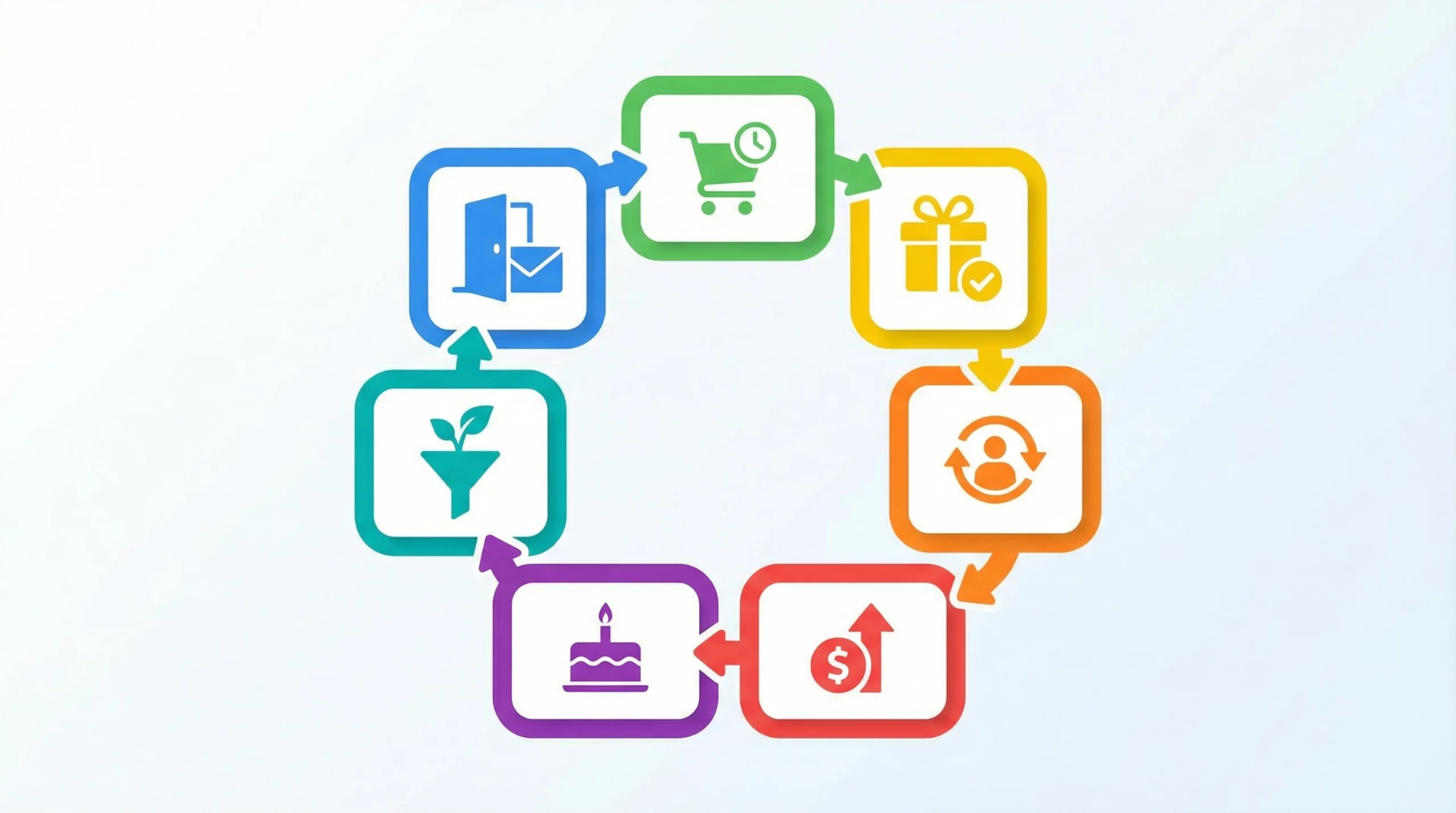
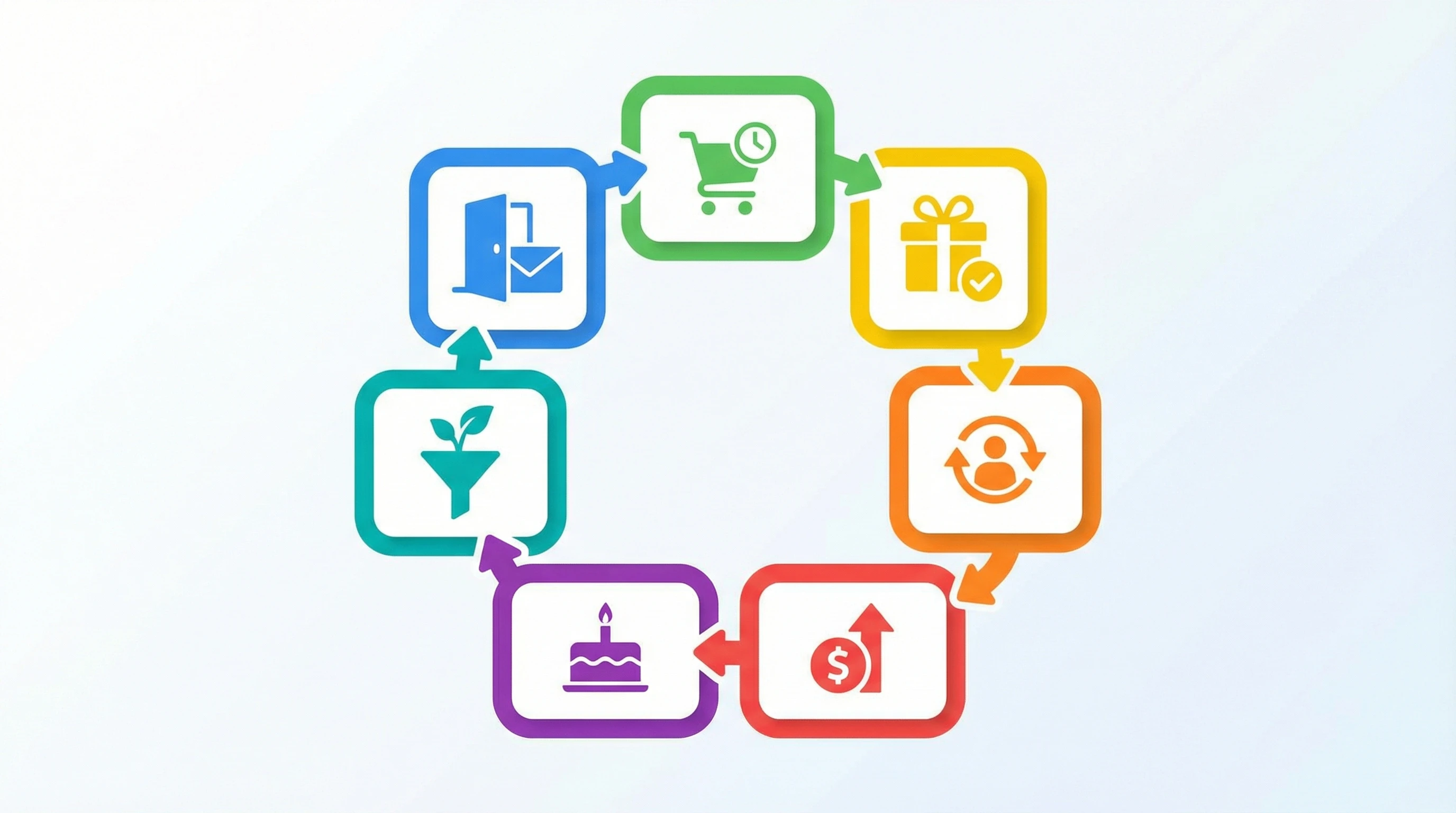
 If you’re running a small business, you’ve probably heard about automated emails or workflows. Automated email workflows are preset sequences of emails that send themselves based on things your subscribers do or don’t do. This guide gives you concrete, copy-ready examples for the seven most practical automated email flows I recommend for every small business in 2026, plus the exact steps and subject lines you’ll need to get started.
Most small businesses don’t use automated emails to their full advantage. I see a lot of owners trying to send every message by hand or forgetting to follow up entirely. After years managing campaigns in ActiveCampaign, Klaviyo, and Mailchimp, I’ve found that a good workflow doesn’t just save time or reduce stress. It also helps real people feel valued and keeps your business growing on autopilot.
This article breaks down the most effective email marketing workflows, shows you exactly how to set up each flow, and clears up some of the confusion around automation platforms so you don’t waste hours trying to pick the right tool.
What Are Automated Email Workflows? (And Why Are They So Useful?)
Automated email workflows are sequences set up in your email marketing software, like ActiveCampaign or Klaviyo, that trigger based on user actions—such as signing up, making a purchase, or even ignoring previous emails. These flows do the work for you, sending the right messages at exactly the right times based on customer behavior. Every email workflow can be fully customized to match your business needs.
For example, when someone subscribes to your list, an automated email workflow can send a welcome email immediately, a helpful resource two days later, and a discount code a few days after that, all with zero effort required from you. This is totally different from manual campaigns or “project automation” tools like Smartsheet, which aren’t built to handle personal follow-up automatically.
I’ve seen firsthand how these workflows increase engagement and drive more repeat sales. According to Campaign Monitor, automated emails generate up to 320% more revenue per email than batch promotional campaigns. For time-pressed small business owners, setting up these systems means more loyal customers and bigger results, without daily hands-on effort.
Plus, having reliable automation often gives you more room to be creative. Once the basics are handled by your workflows, you can focus on unique campaigns, experimentation, or individual outreach that goes the extra mile—without burning out from daily admin tasks.
7 Automated Email Flows Every Small Business Needs (with Real Examples)
1. The Welcome Series (First Impressions Count)
The welcome series kicks off your entire email relationship. When someone first signs up, you set the tone. Open rates here are usually the highest you’ll ever see, reaching up to 86% according to GetResponse. A good welcome flow delivers value, builds trust, and encourages that first purchase or action.
Sample Subject Line: Welcome to the family! Here’s your 10% code
Workflow Steps:
- Trigger: New signup or subscriber joins your list
- Immediate: Send Welcome Email #1 (friendly hello plus discount code or first tip)
- Wait 2 days: Send Email #2 (highlight your story or what makes you unique)
- Wait 2 more days: Send Email #3 (share best resources, reviews, or FAQ)
Email Copy Example (Email #1): Hi there, thanks for joining our newsletter! As a thank-you, here’s 10% off your first purchase. Just use code WELCOME10 at checkout. I’m excited to show you what we’re building here, and I’ll be sending you tips and stories soon.
Extending a warm welcome with helpful info and a perk for new subscribers can set the foundation for a strong relationship. Even mentioning what to expect in your upcoming messages can cut down on unsubscribes and keep people looking forward to your emails.
2. The Abandoned Cart Flow (Recover Lost Sales)
Nearly 70% of online shopping carts get abandoned; however, even a simple automated flow can recover 10% or more of these lost sales. Tools like Klaviyo and WooCommerce support these flows with just a few clicks, and ActiveCampaign makes setting up cart reminders straightforward, too.
Sample Subject Line: Still thinking it over? Here’s a little nudge…
Workflow Steps:
- Trigger: Customer adds to cart but doesn’t complete checkout
- 1 hour later: Send Email #1 (gentle reminder with product photo and checkout link)
- 24 hours later: Send Email #2 (add some customer reviews, testimonials, or trust signals)
- 3 days later: Send Email #3 (offer a small discount or free shipping, if the item is still in the cart)
Email Copy Example (Email #2): Hey, I saved your cart! Here’s what others are saying about these products: “Absolutely love it. Shipped fast and works great!” Ready to finish checking out?
Adding compelling copy in your cart recovery emails, such as highlighting limited-time incentives, can move people off the fence. Also, including customer reviews or other trust signals reassures buyers and can push them to convert.
3. The Post-Purchase Series (Building Lasting Trust)
Many businesses stop talking to someone right after the sale, but this is where your customer relationship can really take off. A post-purchase nurture flow helps turn a one-time buyer into a repeat customer and gets feedback while the experience is still fresh.
Sample Subject Line: Thanks for your purchase! A few things you should know…
Workflow Steps:
- Trigger: Customer completes a purchase
- Immediate: Send Order Confirmation (automatic in most ecommerce tools)
- 2 days later: Send Email #1 (instructions, tips, or useful info for their new product)
- 6 days later: Send Email #2 (ask for a review or feedback)
- 10 days later: Send Email #3 (suggest related items or share a referral offer)
Email Copy Example (Email #2): I’d love your thoughts! If you have a minute, could you leave a quick review? Your feedback helps me improve, and it helps other customers when picking something new.
To take this up a notch, consider adding a care tip, setup guide, or video demonstration in your first post-purchase email. Showing that you care about their experience can boost brand loyalty and increase the chance of repeat purchases.
4. The Re-Engagement Campaign (Reconnect or Clean Your List)
If someone hasn’t opened your emails in months, it hurts your sender reputation and even deliverability rates. A re-engagement flow is a smart way to try and rekindle the relationship. If they keep ignoring you after several reminders, moving them off your list keeps it healthy and improves your chances of landing in inboxes for your most interested readers.
Sample Subject Line: Are we breaking up?
Workflow Steps:
- Trigger: No opens or clicks in 90 days
- Send Email #1 (direct message: “Still interested?”)
- Wait 7 days: Send Email #2 (final offer, maybe a short survey or a big incentive)
- No response: Remove or move to a dormant list
Email Copy Example (Email #1): I noticed you haven’t opened my emails in a while. Should I stop sending updates? If you want to stay, just click here to let me know or reply to this message.
Cleaning your email list not only helps inbox placement, but saves money on list hosting fees in the long run. It’s smart marketing, not just good housekeeping.
5. The Upsell / CrossSell Flow (Boost Profits)
If someone buys from you once, the best time to suggest something that pairs well with their purchase is soon afterward. Your email automation can recommend related products or upgrades based on what they bought, which increases your average order value. Tools like Klaviyo track purchase history, but even Mailchimp and ActiveCampaign can trigger automations after sales events.
Sample Subject Line: Level up your gear: Special offer just for you
Workflow Steps:
- Trigger: Product purchase detected
- Wait 7 days: Send Email #1 (suggest a related product, include product photo and description)
- Wait 14 days: Send Email #2 (share stories from customers who used both, or offer a discounted bundle)
Email Copy Example: You picked a great camera. Ready to get even better shots? Most customers add a lens after their first order. Here’s my top pick for you (with a special discount for returning customers).
Crosselling and upselling are proven ways to boost revenue from your existing buyers, and automating these emails ensures that everyone gets a timely suggestion without you having to send reminders one by one.
6. The Birthday or Anniversary Flow (Make It Personal)
Personal touches matter a lot. Birthday or sign-up anniversary emails can make your customers feel seen, even when automated. Using these, I’ve consistently seen higher transaction rates—sometimes over four times normal campaigns. Just a simple “Happy Birthday!” with a small perk can go a long way, especially if the message is quick and sincere.
Sample Subject Line: Happy Birthday! Here’s a little gift from us 🎉
Workflow Steps:
- Trigger: Subscriber’s birthday or signup anniversary (email tools like Klaviyo and ActiveCampaign collect these details easily)
- Send Email #1 (fun greeting and maybe a bonus or discount as a treat)
Email Copy Example: Happy Birthday! Wishing you a fantastic year ahead. As a thank you for being part of our community, here’s a special 15% off code: BIRTHDAY15. Enjoy!
Celebrating big milestones, no matter how small, helps your business stand out from bigger competitors who treat customers like numbers. It also shows that you notice and value everyone who supports your business, triggering more loyalty along the way.
7. The Lead Nurture (Educational Series)
Service businesses, consultants, and those with long sales cycles know not every new lead is ready to buy on day one. A brief educational email sequence can introduce what you do, share quick wins, and build confidence ahead of a sales pitch. This approach, commonly known as a “drip course,” helps leads get comfortable before making a purchase decision.
Sample Subject Line: Day 1: Your Free Marketing Bootcamp Begins Now
Workflow Steps:
- Trigger: Downloading a guide, signing up for a webinar, or opting in for a lead magnet
- Day 1: Send Email #1 (welcome plus the first actionable lesson or tip)
- Day 2: Send Email #2 (tackle a common issue, maybe include a worksheet or checklist)
- Day 3: Send Email #3 (feature a case study or a genuine story, add social proof)
- Day 4: Send Email #4 (answer common questions or tackle objections)
- Day 5: Send Email #5 (open invitation to reply or book a chat, then present your offer)
Email Copy Example (Email #1): Welcome to the Bootcamp! Over the next five days, I’ll share practical email marketing tips that made the biggest impact on my own results. Let’s kick things off with the welcome email, the highest ROI message you’ll ever send.
By framing your nurture series as a friendly, value-packed mini-course, you can give leads the info and confidence they need to move forward, all while automating what used to require dozens of calls or meetings.
Marketing Workflows vs Project Automation: What’s the Difference?
People often mix up email workflows with project automation tools. Here’s what really matters:
- Email marketing workflow: A preset series of emails triggered by subscriber actions in tools made for marketing, like ActiveCampaign, Klaviyo, or Mailchimp. These are made for following up with people and building relationships.
- Project automation workflow: Designed to handle internal tasks, deadlines, and project handoffs in platforms such as Smartsheet or Monday.com. These do a great job at organizing internal work but won’t send automated, personalized emails based on subscriber choices.
If you want emails that feel timely and personal, stick with marketing-specific platforms. For running your back-office operations, use project automation apps. Using each tool for its best purpose helps your business run smoother overall.
FAQs: People Also Ask
What is the best tool for automated email workflows?
- Klaviyo: Great for ecommerce stores. Tight integration with Shopify, WooCommerce, BigCommerce, and supports abandoned cart flows with ease.
- ActiveCampaign: Top pick for service businesses, coaches, consultants, local shops, and B2B. Flexible automations, solid CRM, plus reliable support.
Mailchimp, ConvertKit, and Drip are also strong options for businesses that want simple automations but don’t need a full CRM.
How many emails should be in a flow?
Three is the minimum for welcome, abandoned cart, and post-purchase flows. Some nurture or drip series work well with five to seven. Focus on sending messages that matter rather than aiming for a specific count. Each email should serve a real purpose and give value.
What are some other automated email examples?
Beyond these basics, try adding flows for VIP loyalty members, win-back sequences for inactive buyers, webinar notifications, or onboarding new clients. Starting simple is best. Once you have these main flows running, you can add specialty automations as your list grows.
Ready to Build Your First Automated Flow?
Getting started is the toughest part. You don’t have to launch every flow at once. Choose the one that fits where you’re seeing the most activity—maybe a Welcome series for new sign-ups or a Post-Purchase sequence if you want more referrals. Once you experience the time savings and improved results, you’ll want to keep building and optimizing your workflows from there.
Setup is more straightforward than many expect and pays dividends quickly. Adding just one automated flow typically results in higher sales, glowing feedback from customers, and more time to focus on growing your business. Dig in and build your first flow today. Your future self—and your happy customers—will be glad you did.
Thanks for these templates. As someone brand new to automated email workflows, I’m trying to understand how to customize them for my own business. Could you explain how you would adapt one of these workflows (for example, the abandoned cart or welcome series) to fit a specific type of business? What are the key places I should personalize (like subject lines, timing, or segmentation), and how do those customizations affect performance?
Hi HalfAmazing! That is the million-dollar question. Templates are the skeleton, but customization is the muscle.
Let’s look at the Abandoned Cart Workflow. If you run a high-end service business versus a quick-purchase e-commerce store, your setup should look totally different:
Timing: For a low-cost item (under $50), send the first email 1 hour later while the impulse is still hot. For a high-ticket service, wait 24 hours to be respectful and not ‘desperate.’Subject Lines: Don’t just say ‘You forgot this.’ Personalize it! Use their name or the specific product name. e.g., ‘Sarah, your [Product Name] is waiting for you.’ This alone can boost open rates by 20%+.Segmentation: This is the pro move. If they have purchased before, offer a ‘VIP Discount.’ If they are a new lead, offer ‘Free Shipping’ or a ‘Helpful Guide’ to build trust.
Adapting these small levers—timing, personalization, and offer—is what turns a generic email into a high-converting sales machine. Which type of business are you running? I can give you a more specific tip for that industry!
I really enjoyed your breakdown of the seven email workflows and how each one can genuinely help a small business save time while increasing sales. The step-by-step examples make it feel much more achievable to set up automated sequences, especially for someone who hasn’t done it before. I appreciate how you explained the purpose and triggers for each flow, from welcome series to re-engagement campaigns. I was wondering, for a business that sells mostly digital products with a long sales cycle, which of these workflows do you think tends to deliver the most measurable revenue impact first, and are there specific metrics you recommend tracking to evaluate success?