
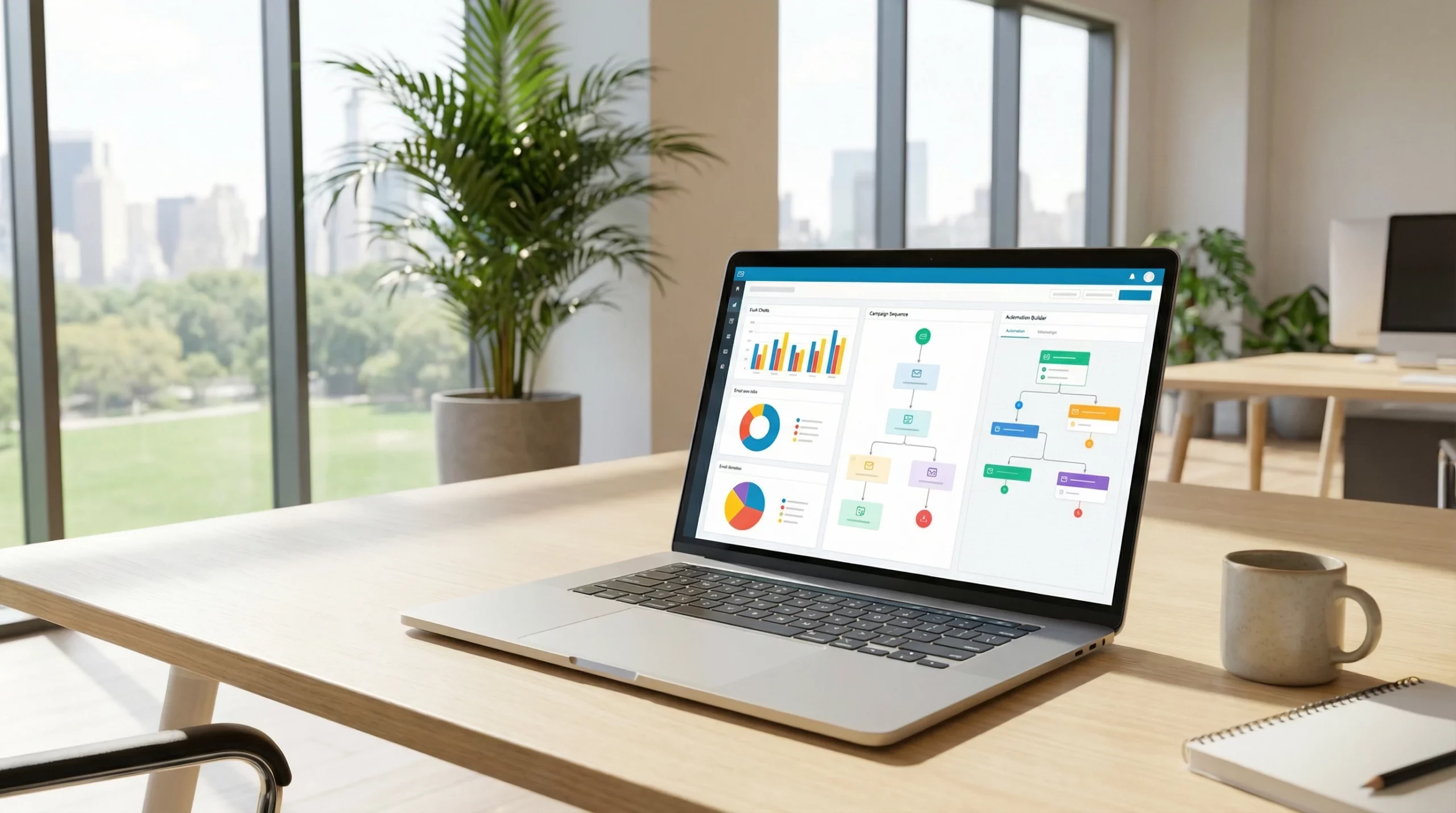
 Email marketing stands out as the most reliable way I’ve found to build relationships and drive sales for any small business. Statistics haven’t changed much—every dollar invested in email can return around $42. In 2026, things are moving even faster, and hyperpersonalization is now the expectation, not a bonus. If I’m not using the right email marketing automation tool, it’s really easy to lose out to competitors who hit the inbox with the right message at the right time.
Choosing the best email marketing software in 2026 can feel overwhelming, especially with so many platforms promising ease of use, advanced automations, or the lowest prices. For small business owners—whether I’m running an ecommerce shop or a brick and mortar service—it’s really important to land on a tool that doesn’t just handle the basics, but fits my growth stage and budget.
I’ve tested and managed campaigns with dozens of platforms. My experience covers everything from launching a first newsletter to building complex sales funnels with deep CRM integration. To save you hours of research, I’m sharing my personal picks for the 5 best email marketing automation tools for 2026, all ranked by what they do best for different business needs.
2026 Email Marketing Automation Tools: Side by Side Comparison
| Tool Name | Best For | Free Plan Limit | Starting Price (Paid) |
|---|---|---|---|
| ActiveCampaign | Advanced Automation | 14-Day Trial Only | $19/mo (Starter for 500 contacts) |
| Brevo (Sendinblue) | Budget/Value | 3,000 emails/mo (unlimited contacts) | $13/mo (20,000 emails) |
| Omnisend | Ecommerce | 500 emails/mo (up to 250 contacts, SMS included) | $16/mo (Standard for 500 contacts) |
| HubSpot Marketing Hub | CRM Integration | 2,000 emails/mo (single user, basic features) | $30/mo (Starter, 1,000 marketing contacts) |
| Mailchimp | Beginners | 1,000 emails/mo (500 contacts) | $13/mo (Essentials, 500 contacts) |
ActiveCampaign Review. The Automation Powerhouse
The One Liner: If I want to build advanced, automated customer journeys, ActiveCampaign is where I go first.
I consider ActiveCampaign the go-to if I run a business that relies on smart email sequences, audience segmentation, and deeper sales follow-up. The automation here goes way beyond simple welcome emails. I’ve created conditional campaigns that respond to specific behaviors, like opening a link or abandoning a cart. This helps keep each subscriber moving toward a purchase in the most personalized way I can set up.
Pros:
- Industryleading visual automation builder that’s easy to use after a short learning curve.
- Tagging and segmentation tools help me deliver hyperpersonalized content, which is super important in 2026 with customer expectations at an alltime high.
- Integrates smoothly with most CRMs, ecommerce platforms, and hundreds of popular apps.
- SMS and site messaging are now fully integrated. I can run crosschannel campaigns all from one spot.
Cons:
- Not the cheapest option. If I only send basic broadcasts, I’m probably paying for features I won’t use.
- The learning curve is steeper than with entrylevel tools like Mailchimp, but support articles and onboarding help a lot.
Pricing: Starts at $19/month for up to 500 contacts. No real free plan, but there’s a riskfree 14day trial.
Visual Cues: [Insert Screenshot of Automation Builder]
If you need to build detailed customer flows and set conditional triggers, ActiveCampaign’s platform is loaded with tools for testing, tagging, and personalizing your messaging. Plus, the visual workflow editor is helpful for tracking every step your audience takes. Even better, you can split automations into branches to send completely different messages based on subscriber behavior.
Brevo (Sendinblue) Review. The BudgetFriendly Champ
The One Liner: Unlimited contacts and simple pricing make Brevo an easy pick for keeping costs low as I grow.
The best thing about Brevo is that I can have as many contacts as I want. Pricing is based only on the number of emails I send each month. This makes a huge difference when my list grows fast. I don’t get hit with higher bills just for having a bigger audience. Instead, I only pay more if I actually send more emails. That adds up to real savings compared to platforms that charge per contact.
Pros:
- I can have unlimited subscribers at every plan level without extra charges.
- Includes advanced automation, SMS campaigns, and transactional email—all built in.
- Drag and drop email designer is straightforward and fast for building professional messages.
- Strong deliverability means my emails get into inboxes, not spam folders.
Cons:
- Reporting and segmentation aren’t as robust as tools like ActiveCampaign.
- Templates and prebuilt workflows are improving, but can still feel basic compared to Omnisend for ecommerce.
Pricing: Free for up to 3,000 emails per month (unlimited contacts). Paid plans start at $13/month for 20,000 emails. SMS pricing is separate but affordable.
Visual Cues: [Insert Screenshot of Automation Builder]
Brevo also comes with transactional email support, so if your store or business needs to send receipts or notifications, it’s all in one place. The real value for fastgrowing lists is clear. You won’t need to keep deleting inactive subscribers, keeping your marketing efforts smooth as you ramp up.
Omnisend Review. Ecommerce’s New Best Friend
The One Liner: Omnisend wins out for my ecommerce clients, thanks to prebuilt store automations and SMS in every plan.
I recommend Omnisend any time I’m running a shop online. Their ecommerce focus pays off. My favorite feature is the prebuilt automations that save time on things like abandoned cart reminders, birthday offers, and order confirmations with no manual setup. Omnisend’s automations go further than Mailchimp’s basic flows, especially this year as SMS marketing has become really important for reaching buyers instantly.
Pros:
- Plug and play workflows made for online shops (welcome, cart recovery, winback, etc.).
- Every plan, even the free tier, includes SMS and push notifications so I can mix in some variety to my campaigns.
- Easy integration with leading online store builders including Shopify, WooCommerce, and BigCommerce.
- Advanced AB testing tools to help optimize everything from subject lines to automations.
Cons:
- Less suited for service businesses or B2Bfocused companies.
- Pricing increases with list size and email/SMS volume, which is worth it for stores but something to watch.
Pricing: Free for up to 250 contacts (500 emails/month, 60 SMS/month). Paid plans start at $16/month for 500 contacts and more emails/SMS.
Visual Cues: [Insert Screenshot of Omnisend Automation Builder]
A special perk of Omnisend is its library of readytoactivate ecommerce workflows. Triggers for browse abandonment, order updates, and VIP rewards mean you don’t need to dig into technical settings to see results. And with integrated SMS, announcing flash sales or coupons is instant, helping boost real time sales opportunities.
HubSpot Marketing Hub Review. The All in One CRM Solution
The One Liner: When I need sales and marketing tightly linked, HubSpot covers the whole adventure in one dashboard.
HubSpot is more than an email tool. It covers CRM, social, chat, and reporting under one roof. This is perfect if my business relies on both marketing automation and direct sales. Everything syncs with the contact record, so I always know exactly where any lead is in the pipeline, what interactions they’ve had, and which emails they opened or clicked. The automation isn’t as deep as ActiveCampaign, but for full lifecycle management, HubSpot stands out.
Pros:
- Links email, sales, CRM, and forms seamlessly so I always see the bigger picture.
- Great for managing marketing and sales teams. Everything is connected automatically.
- Simple, modern interface makes managing lists and building emails easy, even for new users.
- Extensive thirdparty integrations with payment, event, and scheduling platforms.
Cons:
- Gets expensive as I add more contacts or want higherlevel features.
- Marketing automation options are more limited in lowertier plans compared to competitors.
Pricing: Free for basic tools, 2,000 emails/month, and up to 1,000 contacts. Paid plans start at $30/month for more features and higher limits. The real power comes with the Professional tier, but that’s a bigger investment.
Visual Cues: [Insert Screenshot of Automation Workflow]
HubSpot’s contact timeline lets you instantly spot whether leads have opened emails, visited pages, or spoken with sales. For a business juggling multiple teams or tracking deals, this unity saves time and prevents lost opportunities. Recent updates to scheduling, forms, and reporting make this a real contender for businesses aiming for a unified customer view.
Mailchimp Review. The Friendly Starting Point
The One Liner: Mailchimp is where most people start, and it’s still the easiest way for me to launch my first campaigns, but billing can get tricky.
I see Mailchimp as a strong entrylevel platform designed for anyone who wants to get going with email marketing with as little friction as possible. The templates look modern, and the drag and drop editor works right from the start. But here’s what bugs me: Mailchimp charges for every contact, even if they’ve unsubscribed. That can make it more expensive as my list ages or if I run highchurn campaigns. Still, for small lists and basic needs, Mailchimp keeps things simple.
Pros:
- Super easy to design and send polished emails right out of the gate.
- Handy mobile app for checking stats on the go or sending last minute emails.
- Tons of integrations with website builders, stores, and event tools.
Cons:
- Bills for unsubscribed and inactive contacts, which can quickly drive up costs if I’m not cleaning my list regularly.
- Automations aren’t as advanced as Omnisend or ActiveCampaign. Mainly suited for basic autoresponders and simple nurturing funnels.
Pricing: Free for up to 500 contacts and 1,000 emails/month. Paid plans start at $13/month for 500 contacts. Watch out for those hidden costs as your audience grows.
Visual Cues: [Insert Screenshot of Campaign Creation Screen]
Mailchimp’s interface is a top pick for anyone completely new to email marketing, giving you a clear path from audience import to email design. Plus, with tons of integration options (from Shopify to Eventbrite), it’s simple to sync up data from other platforms. Still, keep an eye on your bill as your list ages, since every contact truly counts.
How to Choose the Right Email Tool for Your Small Business in 2026
Picking my ideal email marketing automation tool depends on what kind of business I’m running and how I plan to use email in my growth strategy. I always recommend taking a close look at what matters most day to day, not just comparing feature lists.
- If I sell physical products online: Omnisend is built for ecommerce. The prebuilt workflows let me launch cart recovery, order confirmation, and SMS promotions with just a few clicks. I save a lot of time versus building everything from scratch, and I reach my customers where they actually look — both inbox and phone.
- If I run a service or coaching business: ActiveCampaign shines due to its segmentation and advanced automation. I can create personalized onboarding and nurture flows tied directly to user actions.
- If I’m just starting out or have a tiny list: Mailchimp gets emails out fast with little setup or training needed. I keep a close eye on audience size to avoid surprising bills.
- If I want everything (CRM, emails, sales, automation) in a single place: HubSpot provides a truly all in one dashboard, ideal for sales teams or businesses moving leads along a defined pipeline.
- If I care about budget and scalability: Brevo lets me grow my audience without being penalized on price. Unlimited contacts mean I never have to delete old signups just to save money.
SMS marketing is something I now treat as really important for any online business. Both Omnisend and Brevo offer SMS alongside email, letting me create multichannel campaigns that are proven to increase conversions, especially during flash sales or launching new promotions. Combining SMS and email can get your messages noticed faster, and for ecommerce, that’s a big advantage in 2026 when buyers expect instant updates and reminders.
Also, make sure your chosen platform has integrations with other tools you use — whether that’s your online store, booking calendar, or CRM. This way, your automations can pull in customer data for targeted messages and let you see the whole activity timeline in one place.
Final Verdict. The Best Email Marketing Automation Tools for 2026
I’ve seen firsthand how choosing the right email marketing software pays off, both in saved time and real sales. My experience says there’s no one size fits all answer, but there’s always a platform that matches the needs of each business stage.
ActiveCampaign is where I go for advanced workflows and deep automation. Brevo stands out for budgetconscious businesses ready to grow their list without surprise bills. Omnisend is my personal pick for ecommerce, especially as SMS becomes more important. HubSpot wins with integrated marketing and sales tools if I need everything in one place. Mailchimp remains reliable for new marketers who want a simple intro to email, but I watch my subscriber list closely due to its billing method.
The best move is to think about exactly what my business needs right now, test the free trials, and focus on tools that will grow with me rather than forcing me to switch every year. With these picks, small businesses get the necessary automation, personalization, and value to make the most out of every campaign sent in 2026 and beyond.
As we move forward, adapting quickly to customer behavior and expectations through email and SMS automation can set any business apart. Testing and learning from your audience, plus keeping an eye out for the latest updates from these platforms, will help make each email campaign more powerful in the months and years ahead.
Thank you for the helpful rankings — this is great for someone new to email marketing automation. Since I’m just getting started, I’m trying to picture how these workflows actually function in real life. Could you explain, with a simple everyday example, how an automated email workflow might look using one of these tools — for instance, capturing a new subscriber, sending a welcome series, and then tracking engagement? I’d love to understand what the steps are from start to finish and which parts of the process beginners usually find easiest or most challenging when they first set up automation.
This is a great question! For a beginner, the word “automation” can sound like you’re building a complex robot, but in reality, it’s more like setting up a series of “If/Then” instructions for your digital storefront.
Here is a step-by-step breakdown of how a standard Welcome Series functions in real life:
The Anatomy of a Welcome Workflow
The Trigger (The “If”): A person visits your site and enters their email into a pop-up box to get a 10% discount. The moment they hit “Submit,” the automation kicks in.Email 1: The Instant Gratification (Send: Immediately):
Goal: Deliver the promised discount and say hello.The Content: “Here is your 10% code! Also, here is what we’re all about…”The Delay (Send: 2 Days Later):
Goal: Stay top-of-mind without being annoying.The Content: A “Value” email. Maybe a story about how your products are made or a link to your most popular blog post.The Decision Point (Tracking Engagement):
The software checks: “Did they open Email 1 or 2?”If Yes: You might tag them as “Engaged” and send a final reminder about their discount.If No: The system might wait another 3 days and send a “Did you miss this?” email with a different subject line.
I’m really interested in how these email marketing tools compare in real‑world use, especially for small businesses that are just getting started. I’m curious which platform actually delivers the best results for a small list, and whether the free plans are truly enough before upgrading.
It also made me wonder how much CRM integration matters for someone who isn’t very tech‑savvy, and what really sets the e‑commerce‑focused tools apart from the more general options.
I’d also love to know what criteria were used to rank these tools for 2026 and whether there were any strong contenders that almost made the list.